Skip to content
Yujia Zhao

Alteryx One, re-architect a hybrid data platform for data transformation automation

Zero-to-one information architecture design to overhaul the navigational framework of a hybrid platform for data cleaning and analytics.
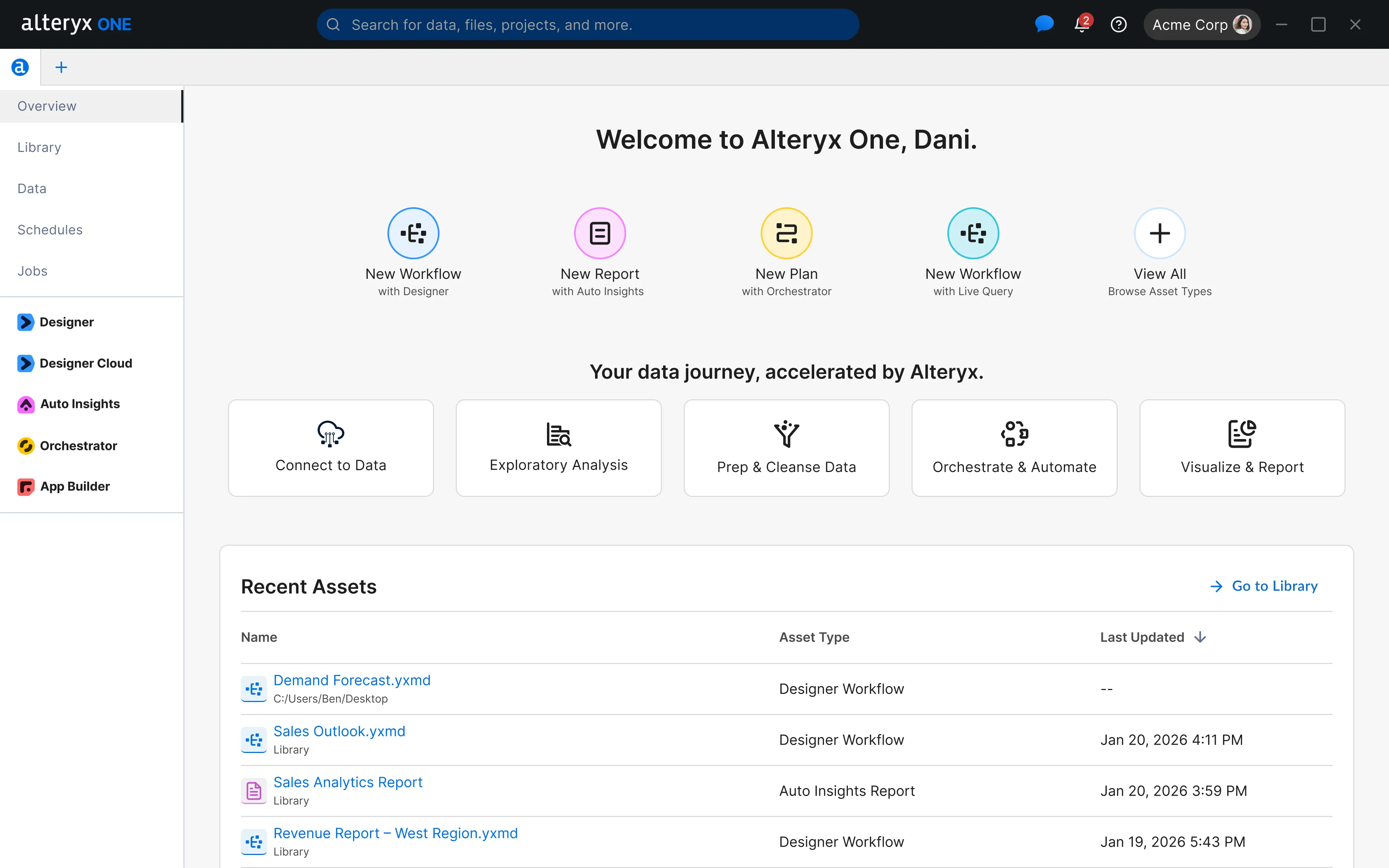
The Alteryx One desktop app overview screen, headed "Welcome to Alteryx One, Dani." A left sidebar lists Overview, Library, Data, Schedules and Jobs above the Designer, Designer Cloud, Auto Insights, Orchestrator and App Builder products. The main panel offers New Workflow, New Report and New Plan tiles, a row of data journey steps from Connect to Data through to Visualize & Report, and a Recent Assets table.
My role
Team Lead, Architect
Time
6 months, 2025
Worked with
2 designers, 1 researcher, 1 PM director & 2 tech leads

Problem

Fragmented tools in different ecosystems result in poor adoption.

Alteryx Analytics Cloud has a few cloud apps sitting on top of a platform, whereas Alteryx Designer is a desktop app for local data processing. Legacy customers on Designer don’t know how to use the cloud, and new cloud users don’t take advantage of the power of Designer.
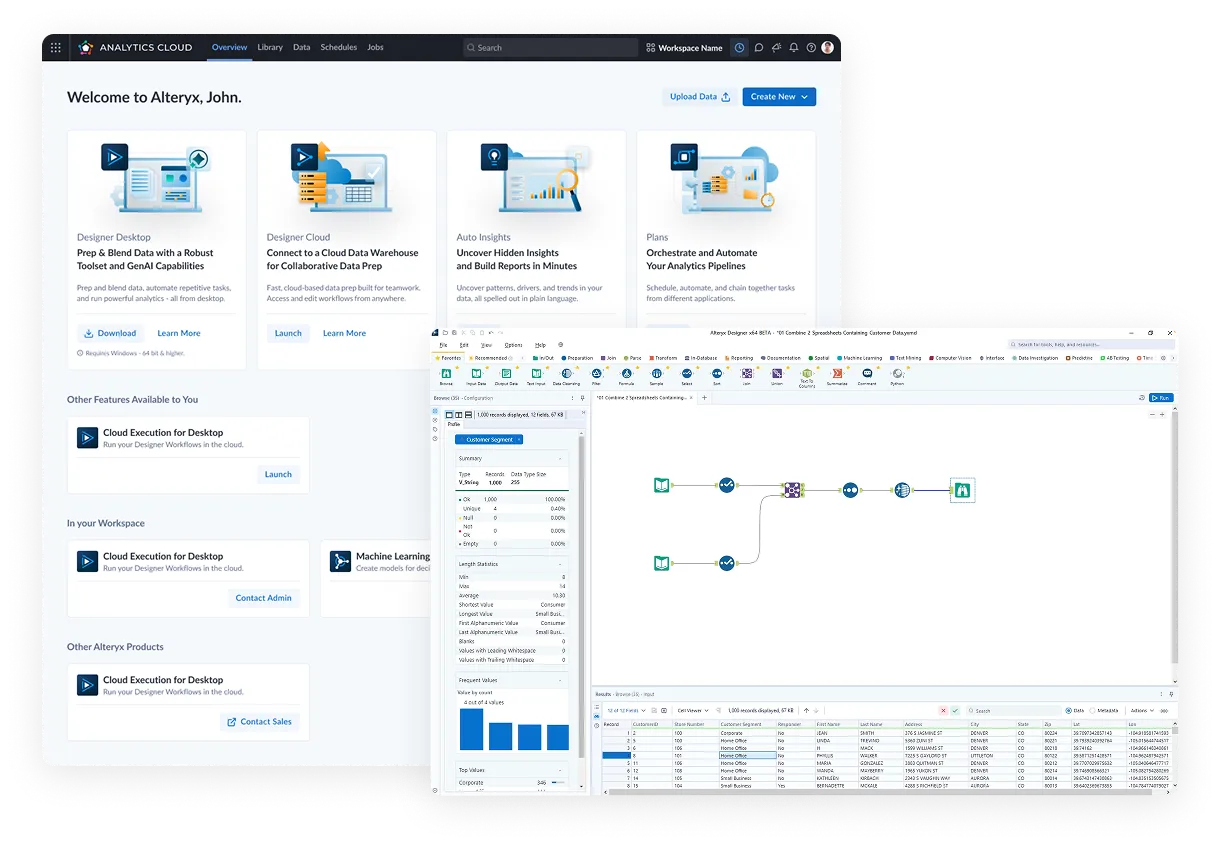
Two legacy Alteryx products, overlapping. Behind: the Alteryx Analytics Cloud home page, "Welcome to Alteryx, John," with product cards for Designer Desktop, Designer Cloud, Auto Insights and Plans, each with its own Download or Launch button, above rows of features marked Launch, Contact Admin or Contact Sales. In front: the Alteryx Designer desktop app, with a tool palette ribbon, a workflow of connected tool icons on the canvas, a field profile panel and a results data grid.

The vision

One app to rule them all

The business directive is to have one desktop application to contain all apps and shared platform features.
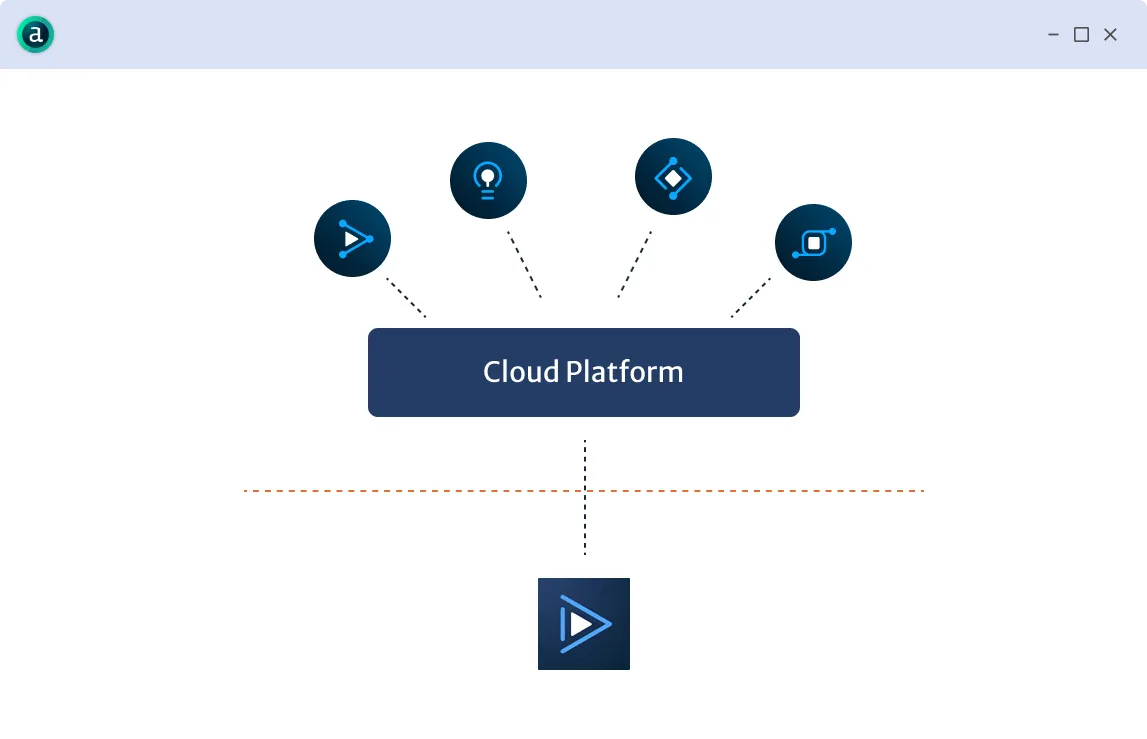
Diagram inside a single desktop app window: four cloud app icons connect down to a shared Cloud Platform bar, which in turn connects across a dashed boundary to the Designer desktop icon below.

Design challenge

How to structure this app to host all existing disparate features for a very complex and large SaaS data platform?

At its core, this is an IA problem. A well-designed IA should match users’ natural workflow.

Key insights

Users think in terms of files, not apps. Thus the new IA should make file organization and navigation efficient, and follow users’ natural way of working.

I dug into the past research and constructed a jobs-to-be-done mapping that reflects how users work with Alteryx offerings to accomplish their data jobs.
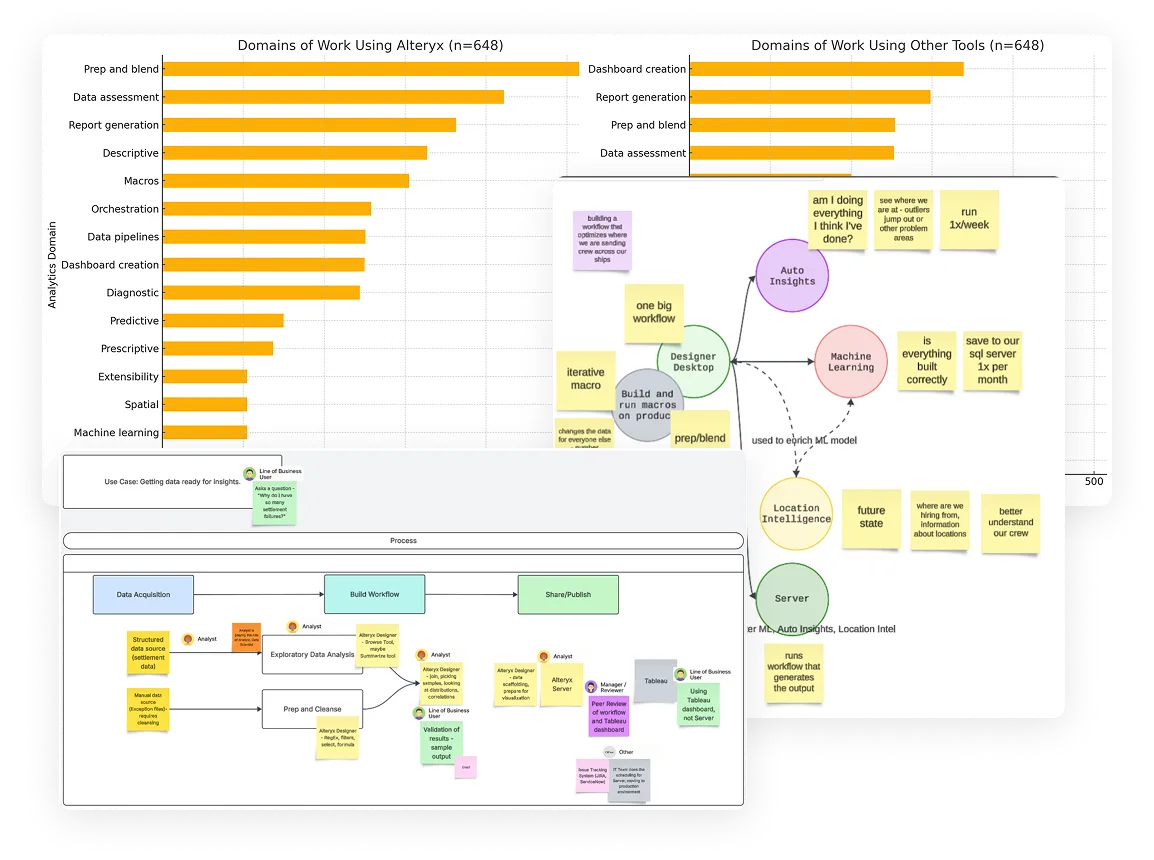
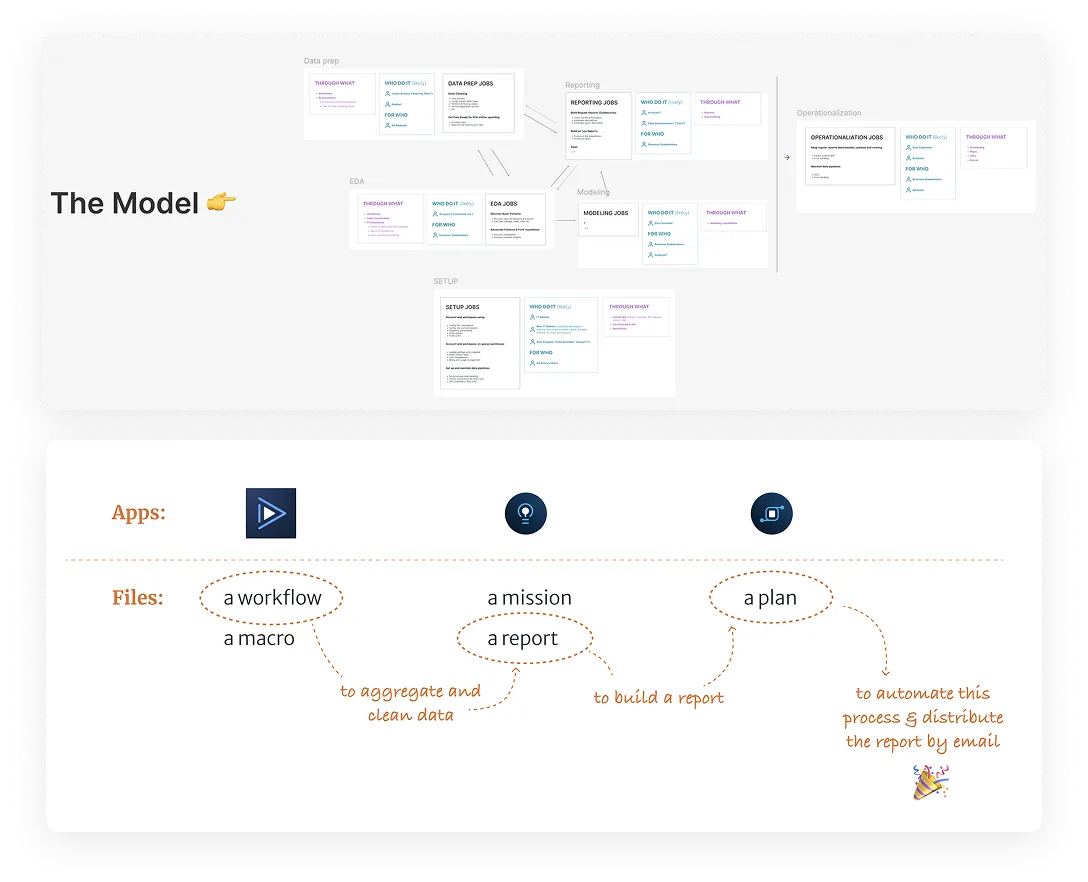
Three overlapping research artifacts. Two bar charts from a survey of 648 respondents: "Domains of Work Using Alteryx," led by prep and blend, data assessment and report generation, and "Domains of Work Using Other Tools," led by dashboard creation and report generation. A journey diagram with Designer Desktop at the centre, arrows out to Auto Insights, Machine Learning, Location Intelligence and Server, and sticky notes quoting how one customer uses each. A use case map, "Getting data ready for insights," running from Data Acquisition to Build Workflow to Share/Publish, with the analyst, line of business user and manager at each step.Two diagrams. Above, "The Model": jobs-to-be-done cards for Data prep, EDA, Reporting, Modeling, Setup and Operationalization, each listing the jobs, who does them, who they are for and through what product. Below, apps contrasted with files: three app icons above a dashed line, and the files each produces beneath — a workflow or macro, a mission or report, a plan. Hand-drawn arrows chain them into one task: a workflow to aggregate and clean data, a report built from it, and a plan to automate the process and distribute the report by email.

Key solution #1

“Projects” to empower users to keep files of the same data task organized

The long-term north star design vision introduces a new concept called “Projects”. Each project contains any number of files of any type that fulfill the same data job, alongside all the datasets used for this job. This is grounded in the insight that users rely on multiple different types of files for one data task.
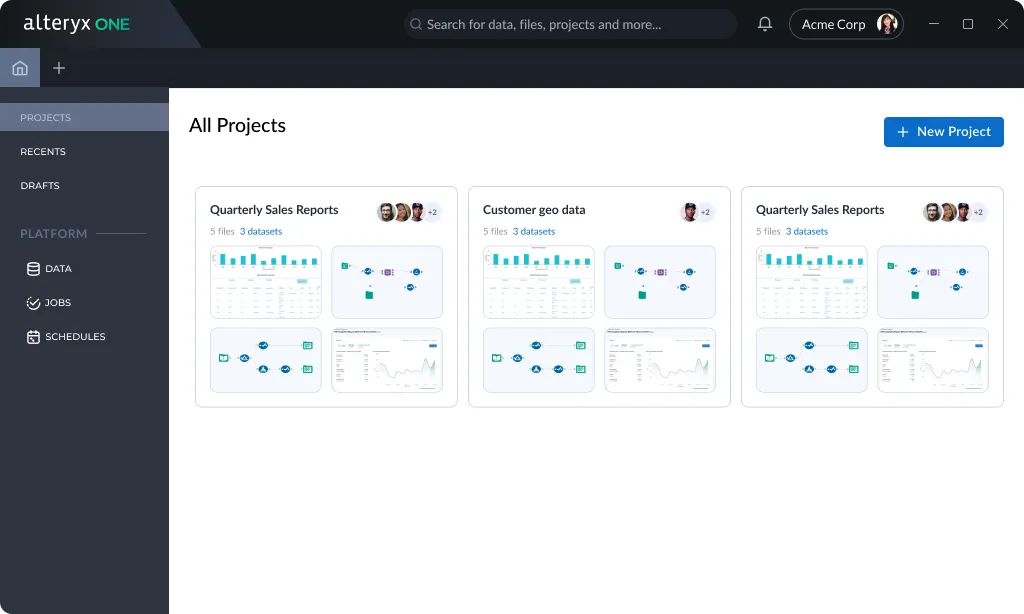
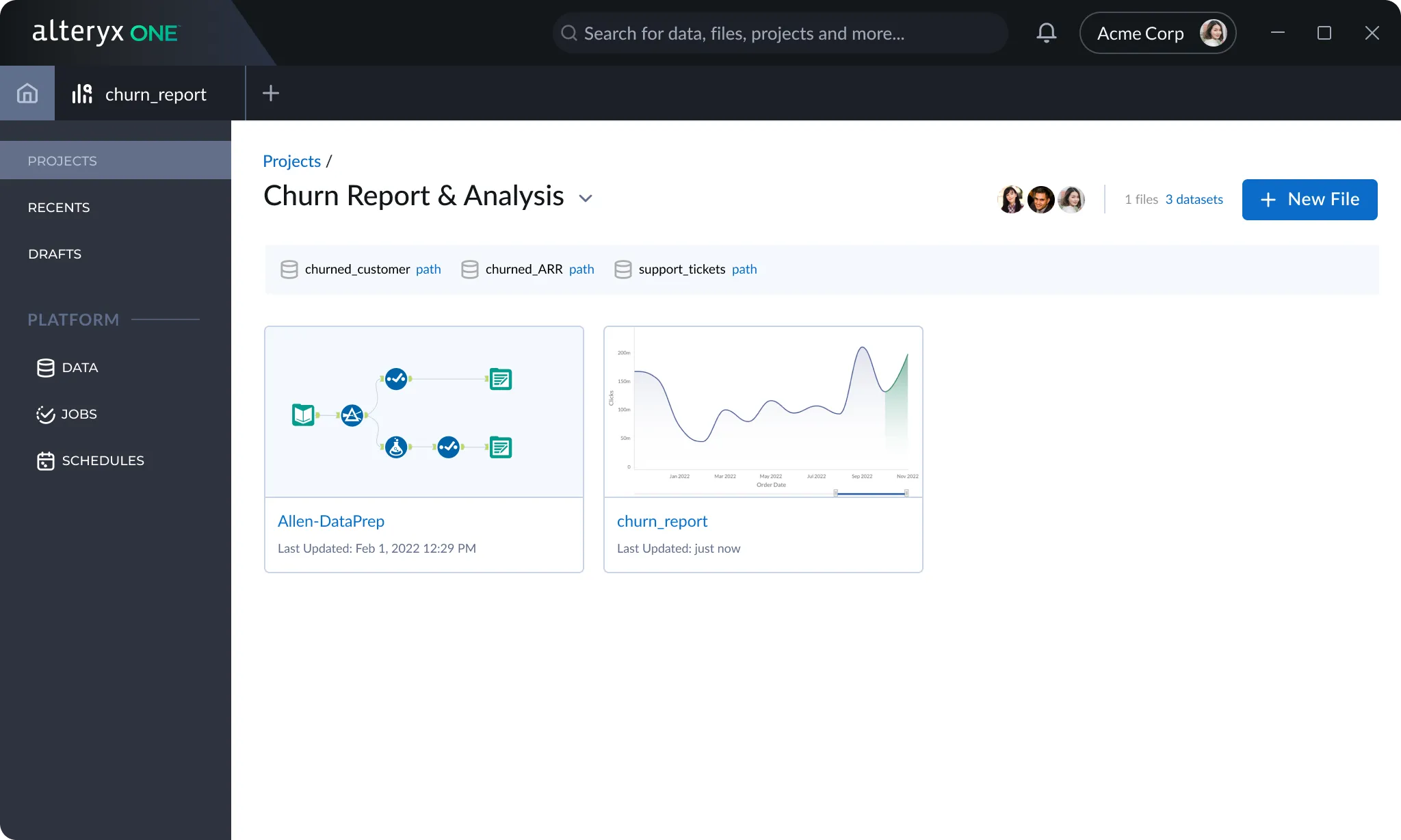
Alteryx One All Projects view. A dark sidebar lists Projects, Recents and Drafts above platform features Data, Jobs and Schedules. The main panel shows project cards such as Quarterly Sales Reports and Customer geo data, each with collaborator avatars, a count of files and datasets, and thumbnails of the files inside.A single project, Churn Report & Analysis, opened in Alteryx One. Its three datasets are listed along the top, above two files of different types: a data prep workflow and a churn report chart.

Key solution #2

Using tabs for open files, and consolidating file organization and platform features

The design was inspired by Figma, whose users have a similar workflow. Alteryx One users need a place to create and retrieve files, but they spend most of their time inside individual files. In addition, Alteryx One users need easy access to platform features. Platform features and file browsing are grouped into the same space, since they are both in support of non-editing tasks.
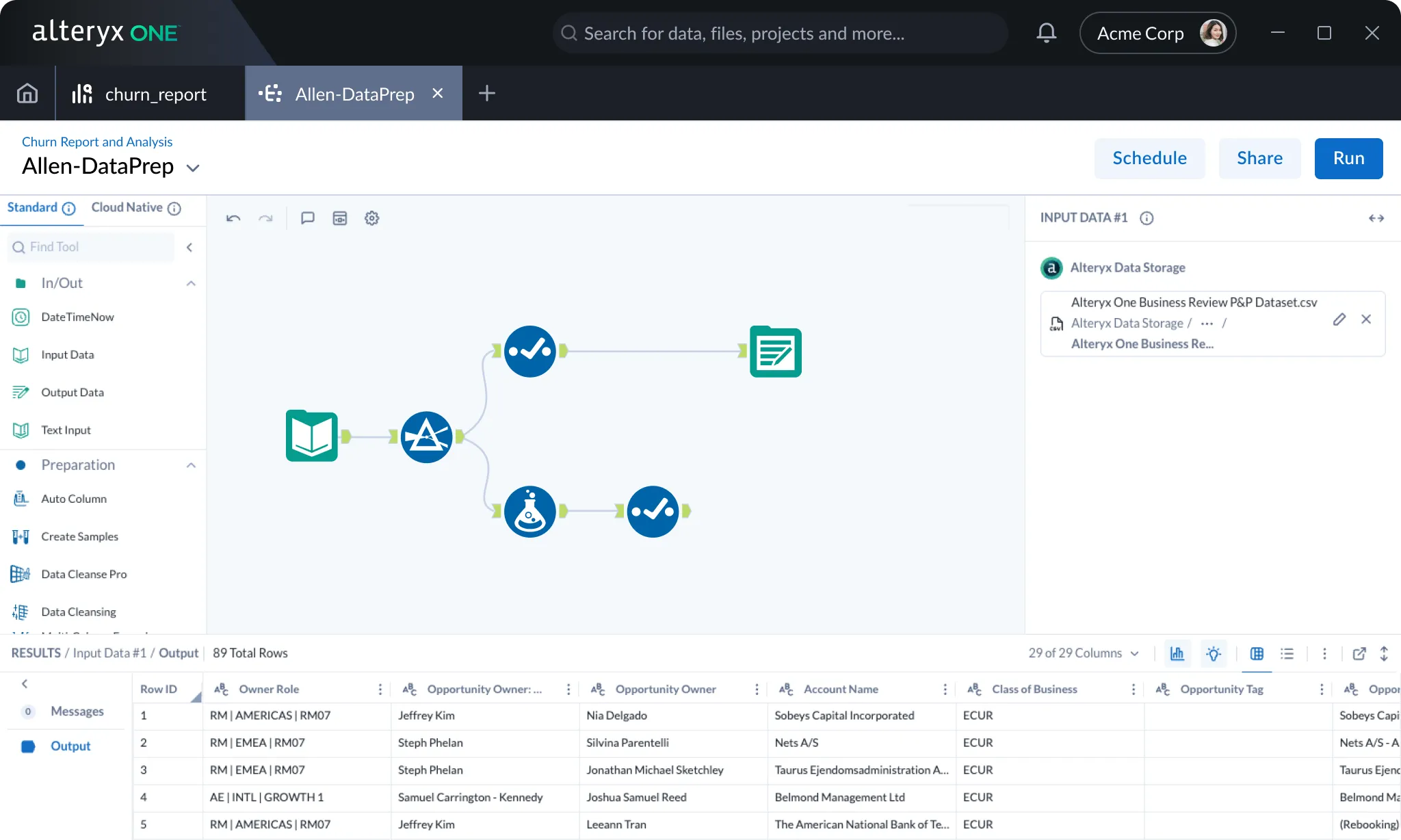
A workflow file open in Alteryx One. Tabs across the top hold the home screen, the churn_report file and the open Allen-DataPrep workflow. Below them sit the tool palette, the workflow canvas, an input data panel and a results grid.

Testing & iteration

Based on multiple rounds of testing, we added an “Overview” page based on the user need for a multi-purpose starting point.

The Overview page would serve as the starting point for multiple user intentions: quickly starting a new file or data connection, getting oriented on what file types are available and why, resuming recent work, and monitoring automated job runs.
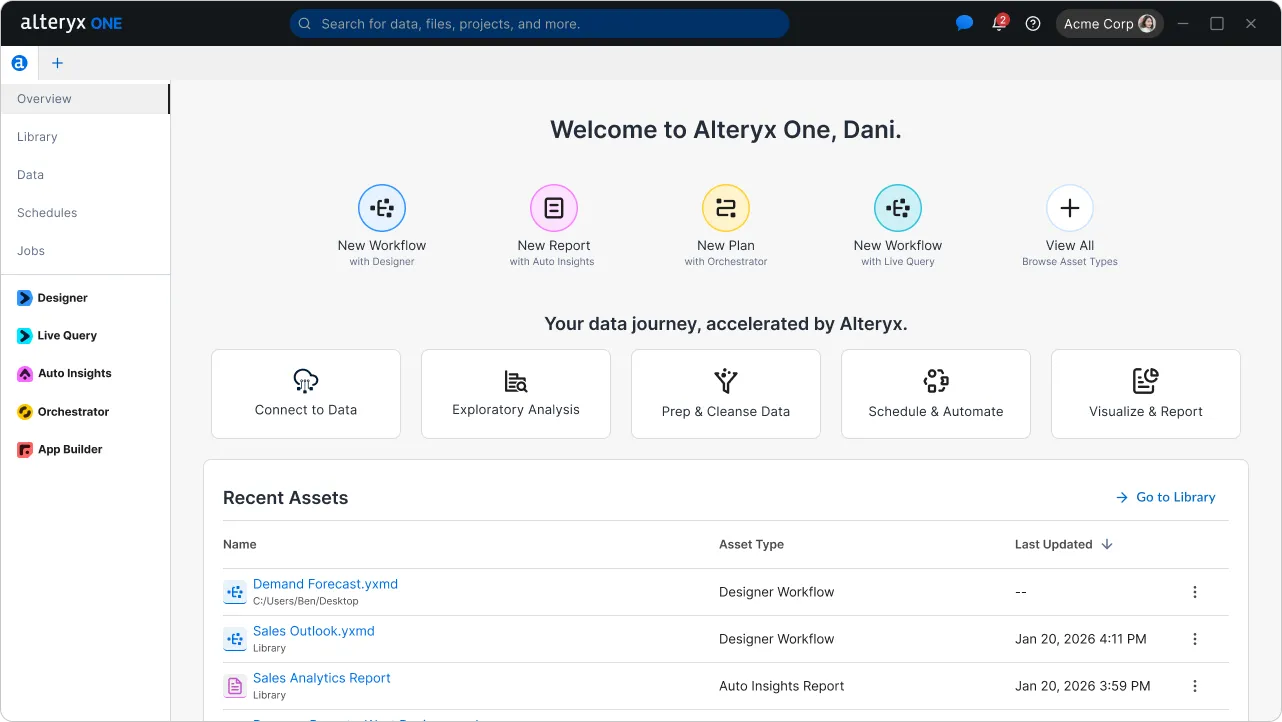
The Alteryx One desktop app overview screen, headed "Welcome to Alteryx One, Dani." with a sidebar of platform features and products, quick-create tiles, data journey steps and a Recent Assets table.

Scale back to MVP

To descope without sidestepping, apps were introduced back as filters for files, not as separate apps to launch.

While stakeholders were positive about the direction, the business need for a quicker time to market demanded a descope. The Projects concept was scoped for later, but a file-centric model remained. Without projects, apps still worked well as a file-grouping mechanism.
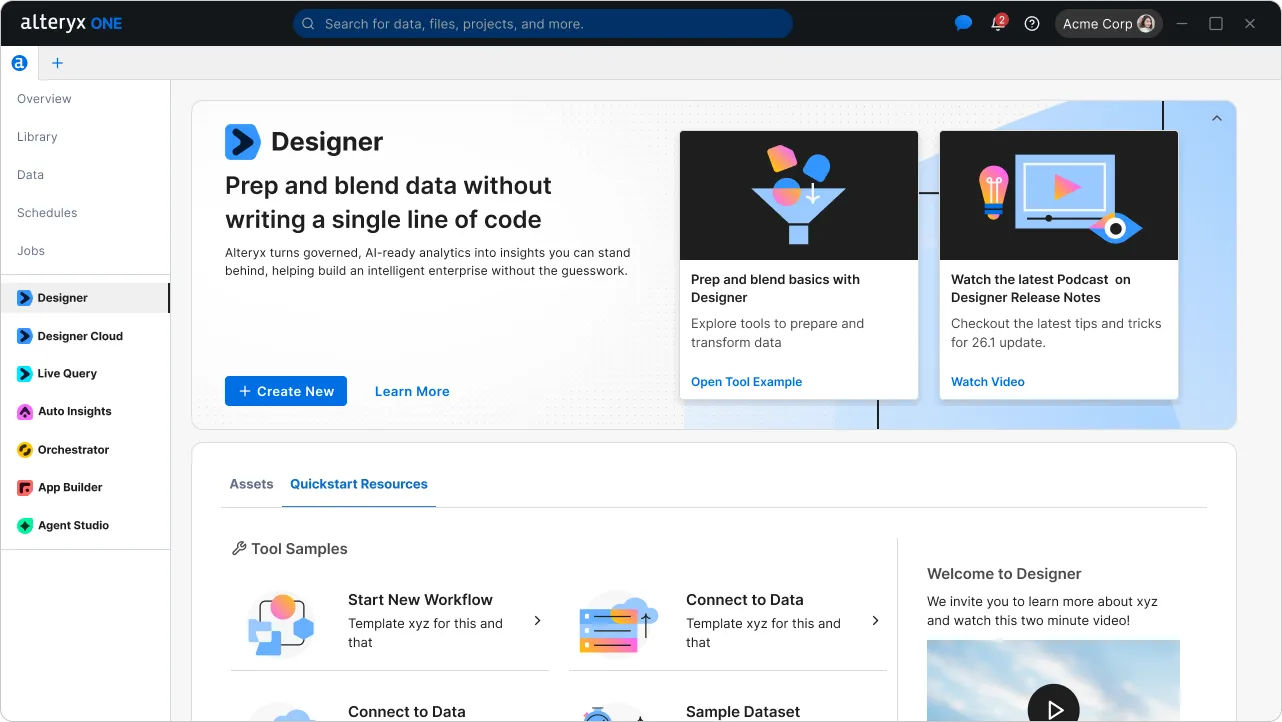
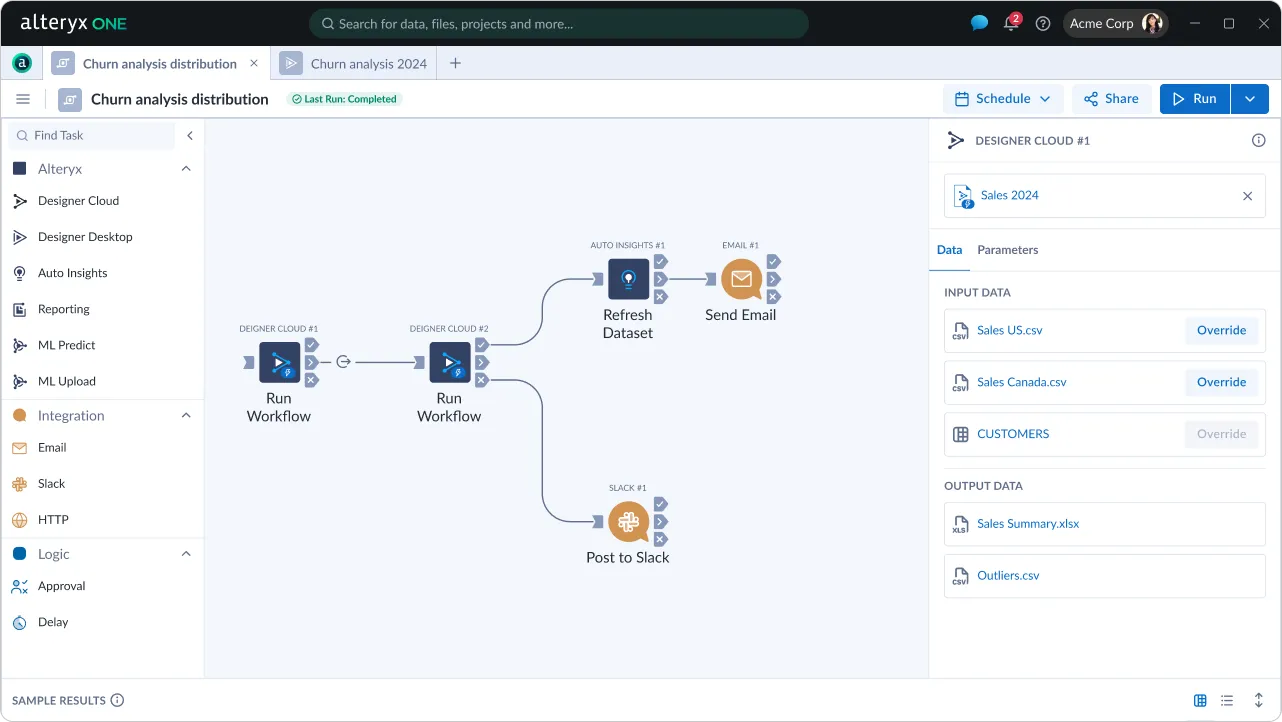
The Alteryx One MVP overview screen, with platform features and products listed in one sidebar.The Designer product page inside Alteryx One: a banner reading "Prep and blend data without writing a single line of code" with Create New and Learn More, learning resource cards, and Assets and Quickstart Resources tabs below.A plan file, Churn analysis distribution, open in an Alteryx One tab. Its canvas chains two Run Workflow tasks into Refresh Dataset, Send Email and Post to Slack steps, with a task palette on the left and input and output data on the right.

Outcome & impact

Users loved it, as reflected in a 97% task success rate, and numerous positive comments directly speaking to the design intent and goals.

New users see it as simplified, intuitive, and existing Designer users feel it is inviting for them to explore more features. These directly speak to the adoption goal we set out to achieve.
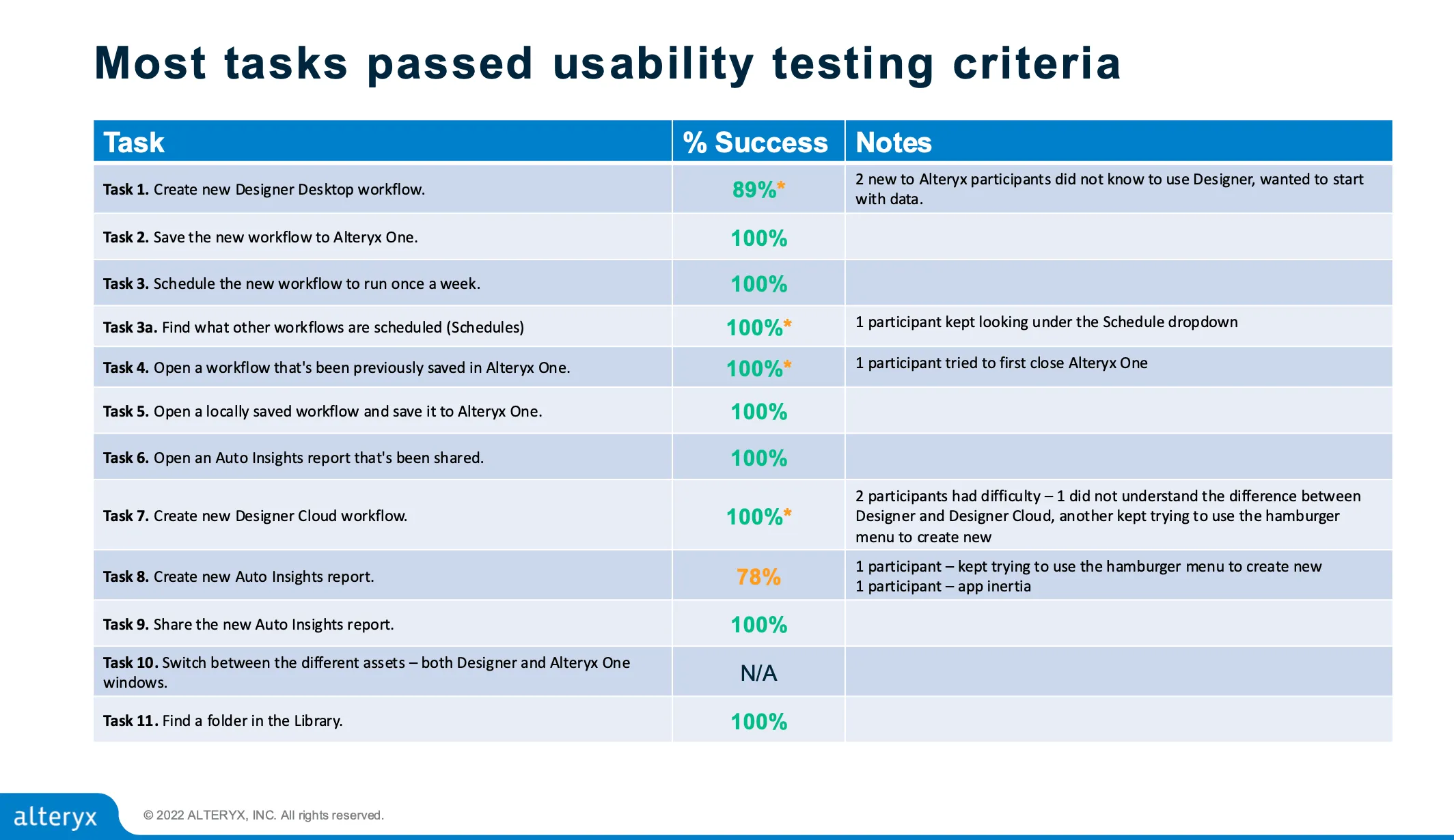
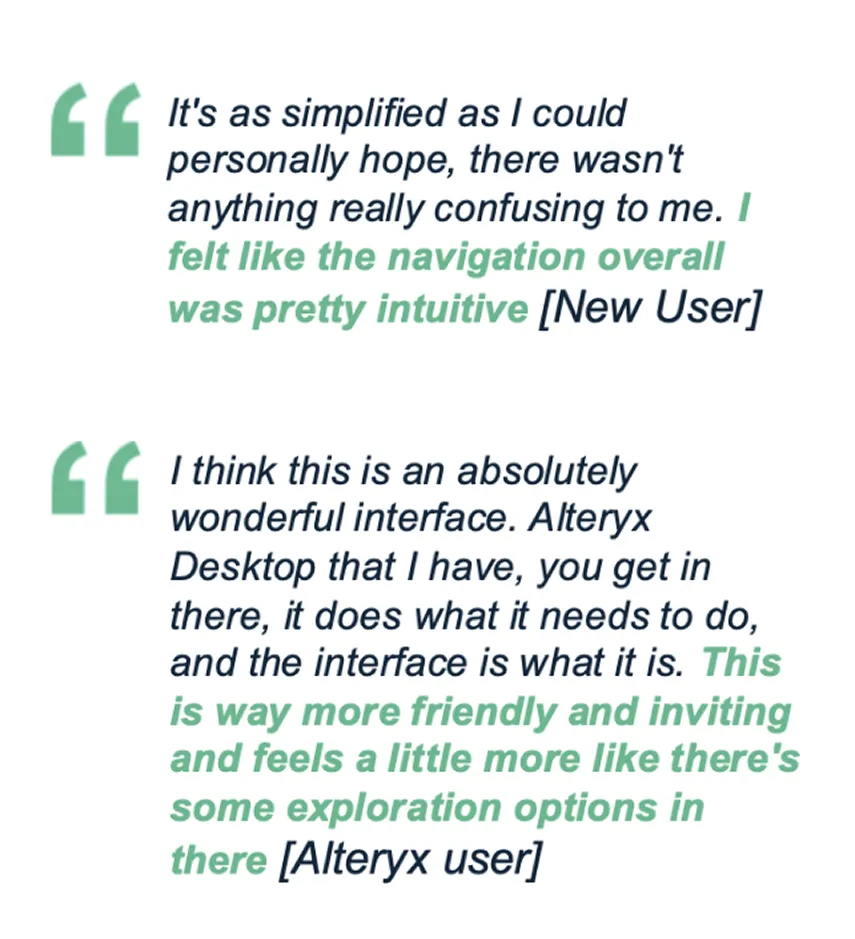
Usability testing results slide, "Most tasks passed usability testing criteria." A table of eleven tasks, from creating a new Designer Desktop workflow to finding a folder in the Library. Nine pass at 100%, creating a Designer Desktop workflow at 89% and creating an Auto Insights report at 78%, with notes on where participants struggled.Two quotes from usability testing. A new user: “It's as simplified as I could personally hope, there wasn't anything really confusing to me. I felt like the navigation overall was pretty intuitive.” An existing Alteryx user: “I think this is an absolutely wonderful interface. Alteryx Desktop that I have, you get in there, it does what it needs to do, and the interface is what it is. This is way more friendly and inviting and feels a little more like there's some exploration options in there.”