Skip to content
Yujia Zhao

Capability gating & upselling UX strategy for complex enterprise pricing & packaging

Defined the short-term requirements, long-term strategy and UX pattern for how to gate and upsell capabilities that meet the various user needs and business needs across 3 editions × 5 system roles.
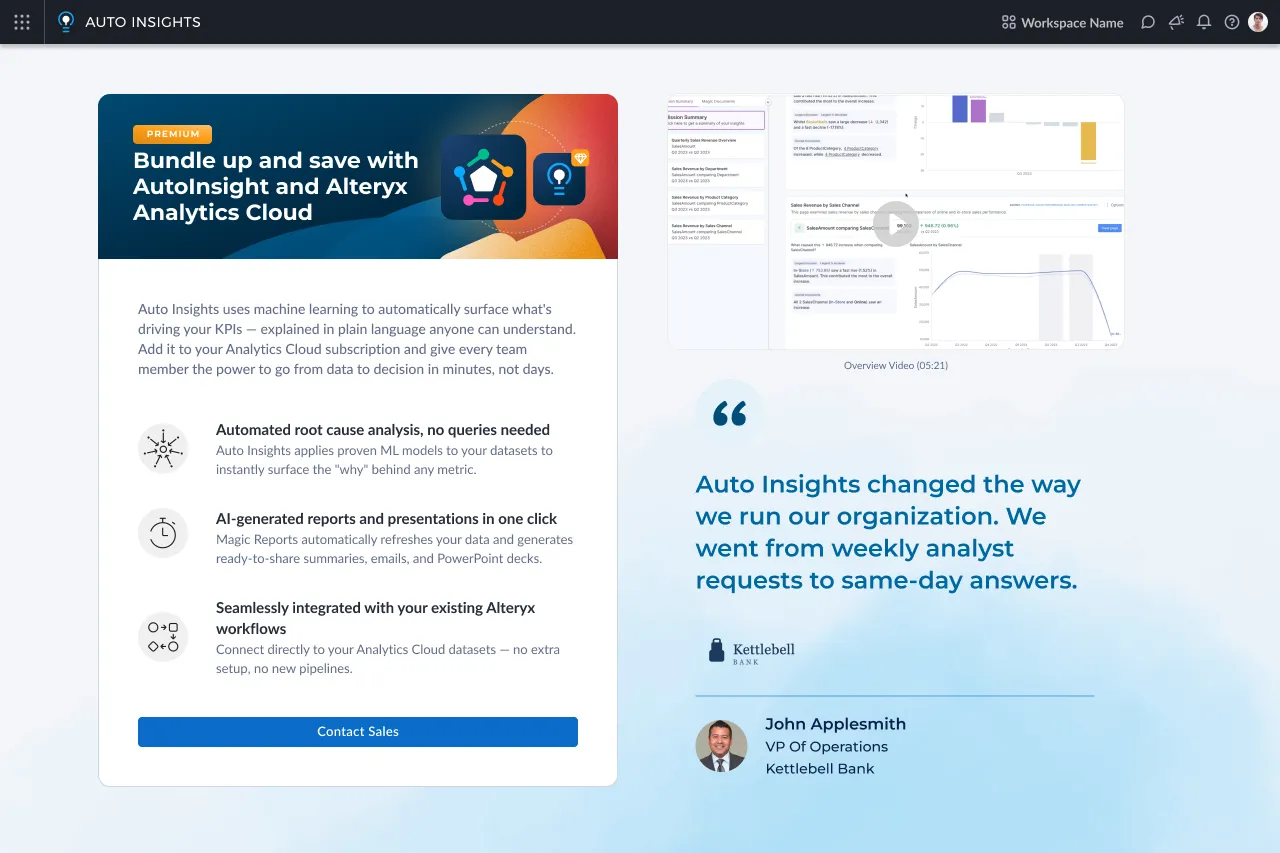
An upsell screen inside Auto Insights. A card badged "PREMIUM" reads "Bundle up and save with AutoInsight and Alteryx Analytics Cloud", lists three benefits — automated root cause analysis, AI-generated reports, and integration with existing Alteryx workflows — and ends in a Contact Sales button. Beside it sit an overview video thumbnail and a customer quote attributed to a VP of Operations.
My role
Team Lead, Architect
Time
3 months, 2025
Worked with
4 product designers, 1 design system designer, 1 visual designer, 3 PM leaders, 1 design system engineer

Problem & urgency

Inconsistent feature gating was creating organizational chaos and putting user trust at risk.

With no established pattern for gating features, no PM to own the requirements, and multiple teams rushing to ship under time pressure, UX was left to catch the inconsistencies midstream — making fixes increasingly costly once released.
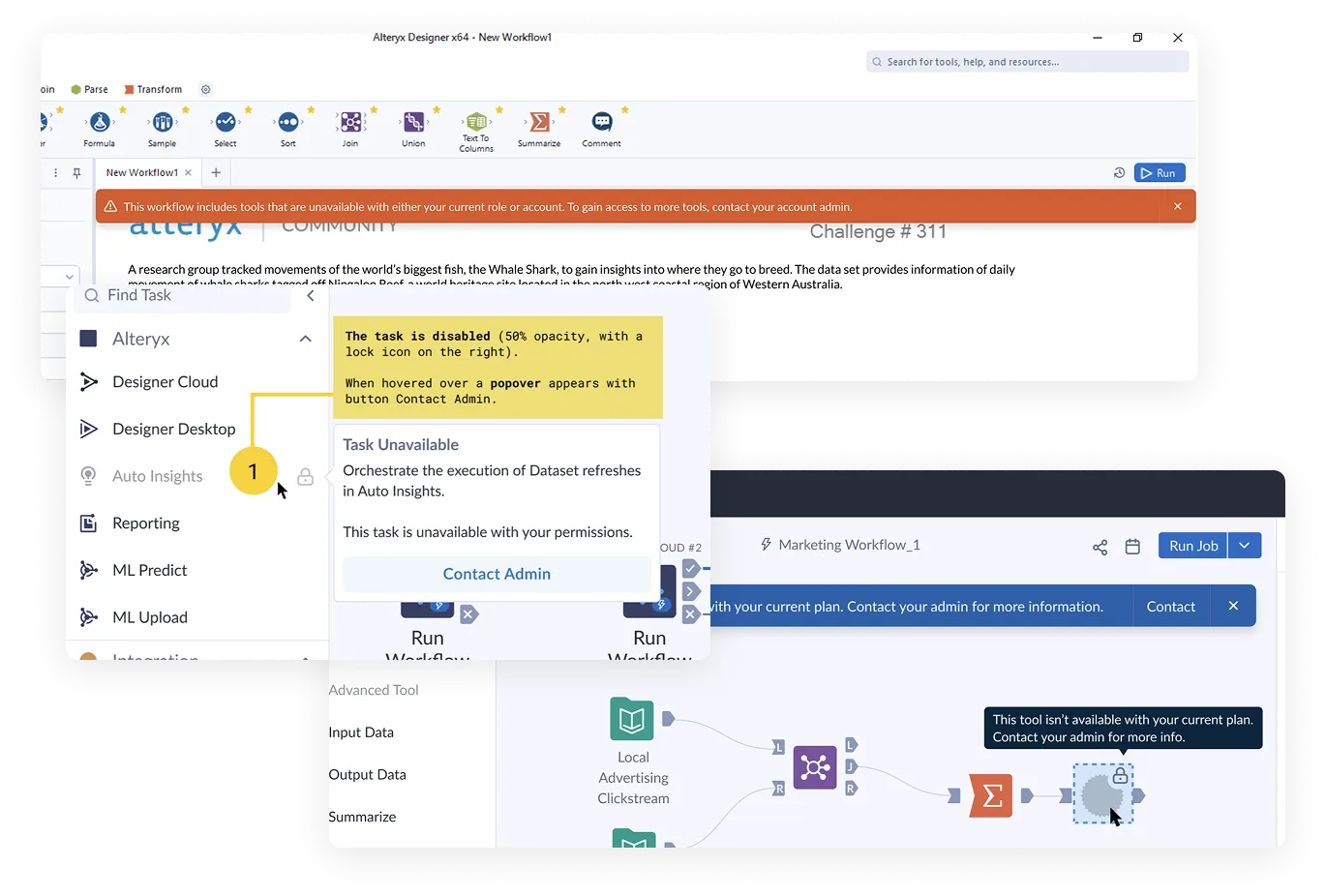
Three overlapping examples of inconsistent gating. The Alteryx Designer desktop app with an orange banner: "This workflow includes tools that are unavailable with either your current role or account. To gain access to more tools, contact your account admin." A task list where Auto Insights is dimmed with a lock icon and a "Task Unavailable" popover offers Contact Admin, annotated with a yellow design note. A cloud workflow canvas with a blue banner saying a tool is unavailable with the current plan, and a locked tool whose tooltip reads "This tool isn't available with your current plan. Contact your admin for more info."

Challenge

We need to define consistent gating behavior and a gating UI pattern fast to ensure a consistent experience for users without delaying the business-critical pricing and packaging rollout.

Approach

A two-phase solution to restore consistency without slowing teams down.

The approach starts with a Quick Start Guide — defining when features should be hidden, shown, or disabled — to establish baseline behavioral consistency and unblock back-end work immediately. This buys time for phase two: UI Patterns that translate those rules into fully consistent visual treatments across the product.
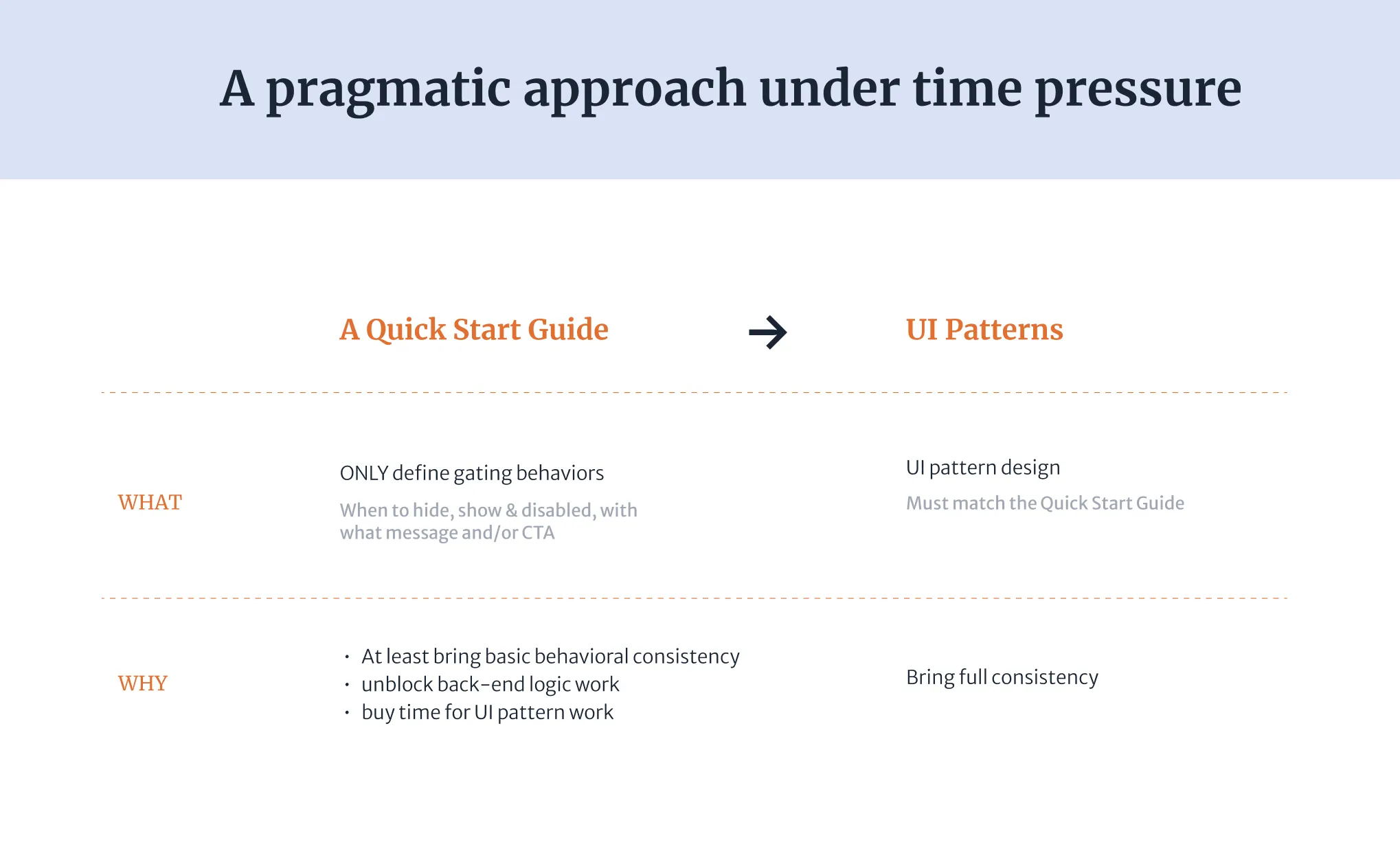
Slide titled "A pragmatic approach under time pressure." A Quick Start Guide leads to UI Patterns. What: the guide only defines gating behaviors — when to hide, show or disable, with what message or CTA — and the patterns are UI designs that must match it. Why: the guide brings basic behavioral consistency, unblocks back-end logic work and buys time for pattern work; the patterns bring full consistency.

Research & insights

We learned that each user role carries a fundamentally different relationship with features — and gating design must reflect that.
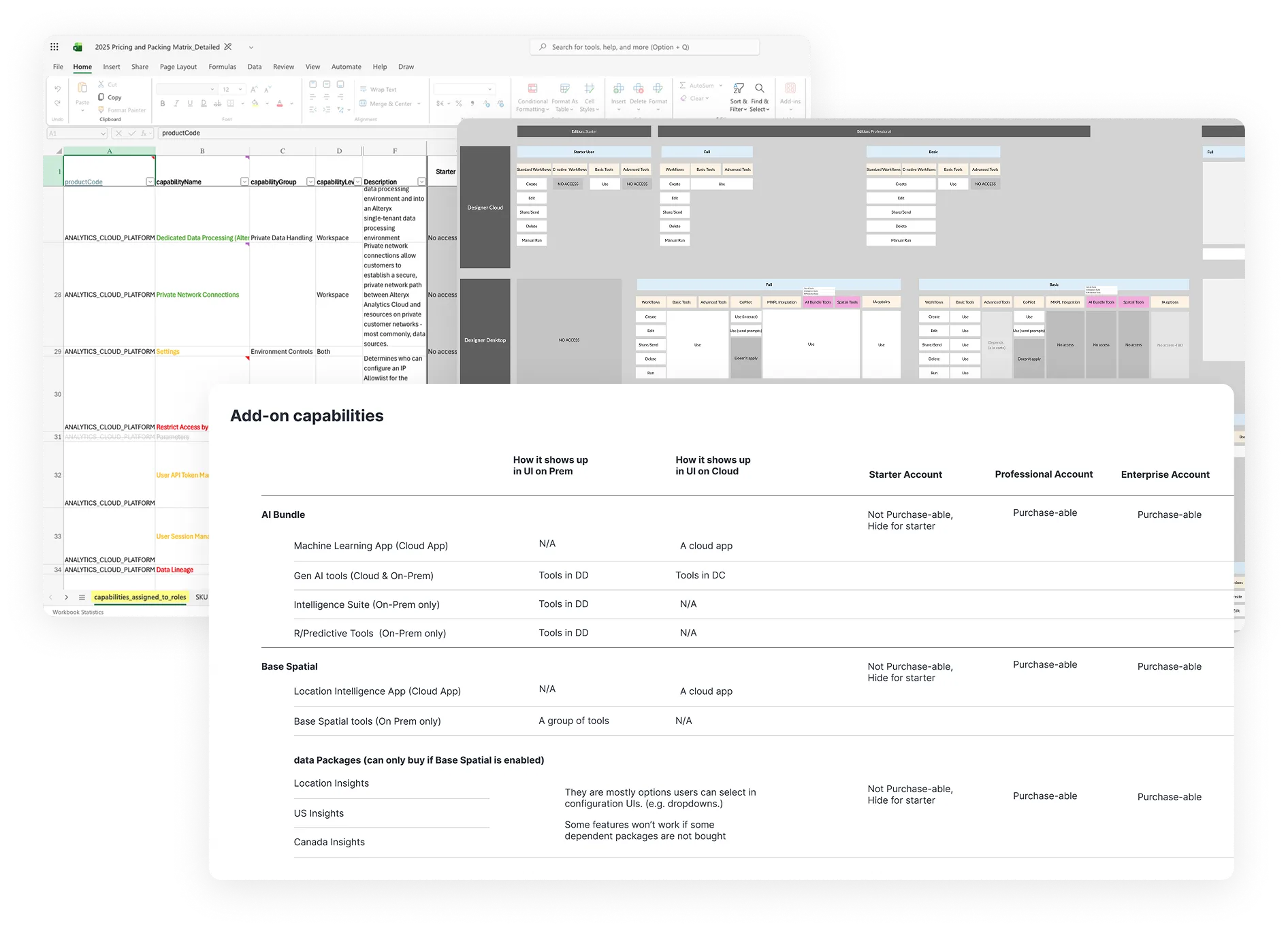
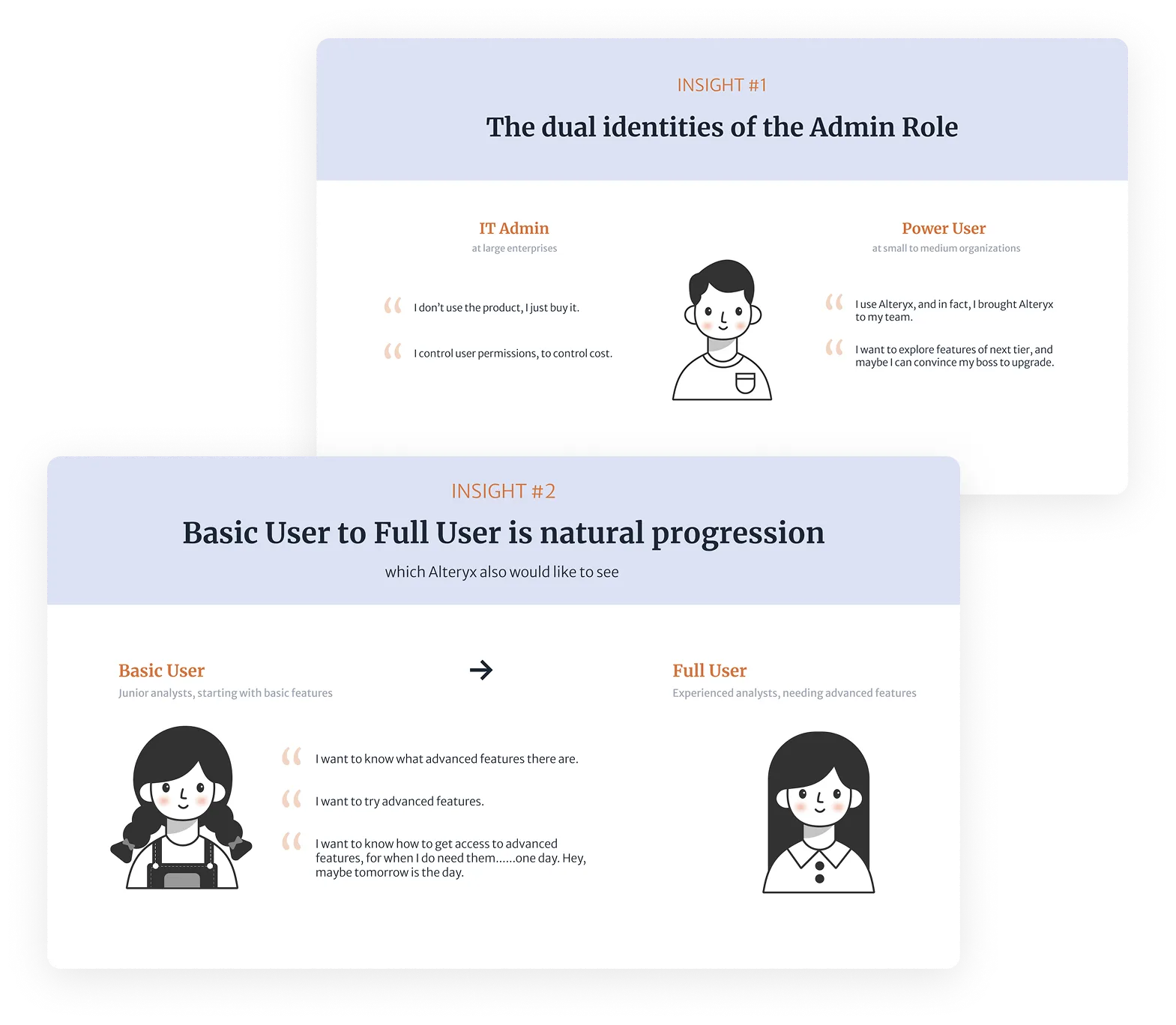
Three overlapping packaging artifacts. The 2025 pricing and packaging matrix spreadsheet, listing capabilities such as dedicated data processing, private network connections and user session management. An access map of Designer Cloud and Designer Desktop by edition and user type, showing which actions each role can take. An "Add-on capabilities" table for the AI Bundle, Base Spatial and data packages, listing how each shows up in the UI on premises and in the cloud, and whether it is purchasable on Starter, Professional and Enterprise accounts.Two insight cards. Insight #1, "The dual identities of the Admin Role": an IT admin at a large enterprise says "I don't use the product, I just buy it" and "I control user permissions, to control cost," while a power user at a small to medium organization says "I use Alteryx, and in fact, I brought Alteryx to my team" and "I want to explore features of next tier, and maybe I can convince my boss to upgrade." Insight #2, "Basic User to Full User is natural progression, which Alteryx also would like to see": a junior analyst on basic features says "I want to know what advanced features there are," "I want to try advanced features," and "I want to know how to get access to advanced features, for when I do need them… one day. Hey, maybe tomorrow is the day," with an arrow to an experienced analyst who needs advanced features.

Key solution #1

Quick Start Guide was introduced, which translated insights into a cross-role gating framework adopted across teams.

The Quick Start Guide defined behavioral logic for capability gating across all five user roles — when to hide, show, or surface features with context and CTAs. Co-developed with PMs and vetted with UX leadership, it reduced inconsistency across teams, unblocked back-end development, and laid the foundation for the full design pattern system to follow.
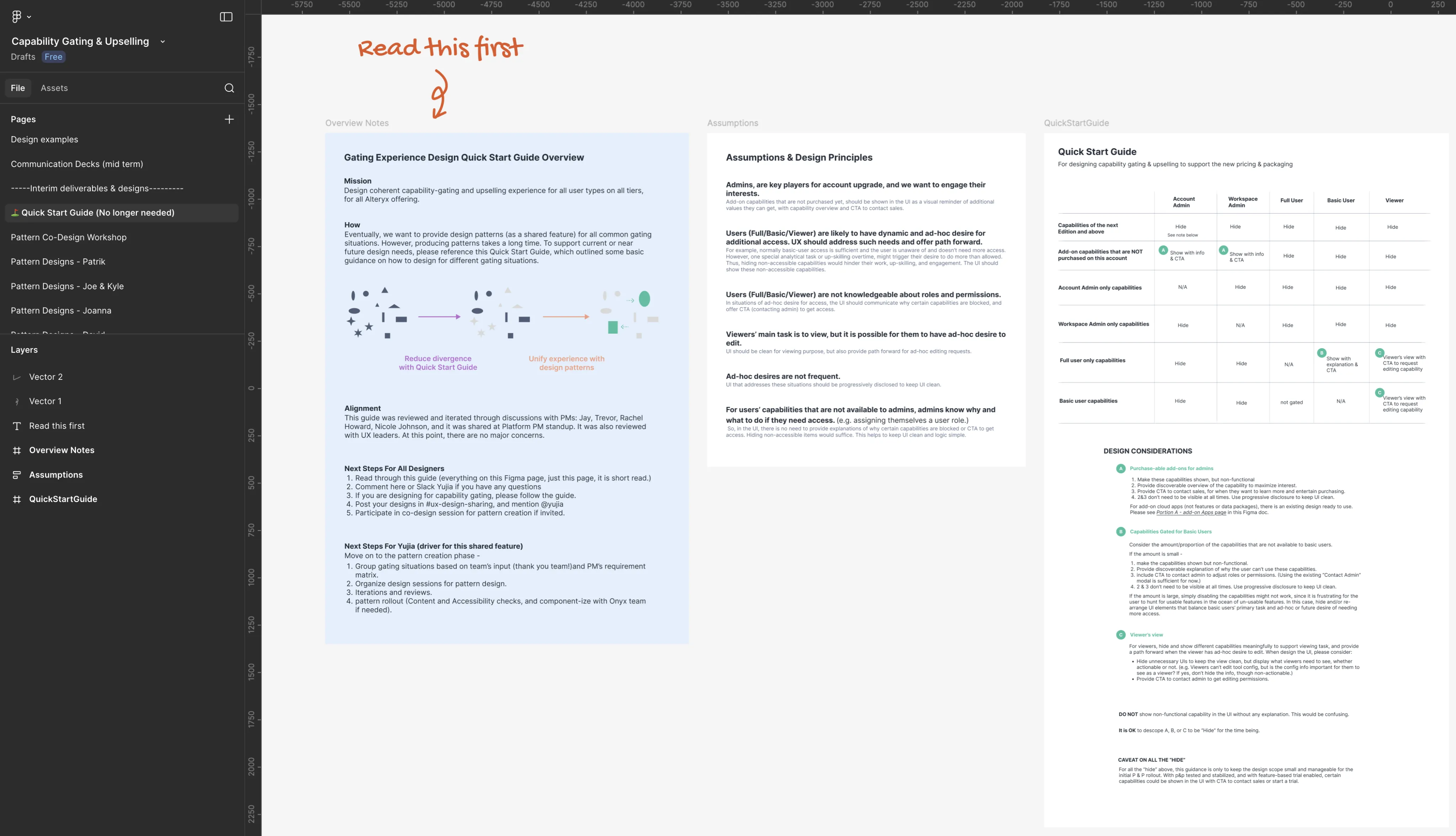
The Quick Start Guide in Figma, marked "Read this first." Three panels: overview notes with the mission, alignment and next steps for designers; assumptions and design principles about admins, full and basic users, and viewers; and the guide itself, a table of whether each capability type is hidden or shown with information and a CTA for each role, followed by design considerations.

Phase 2 solution approach

Unified existing solutions through workshops — building consistency and buy-in simultaneously

Rather than scrapping the half-built gating designs scattered across teams, the approach brought designers together across three continents in structured co-design sessions. By collectively evaluating existing solutions, weighing tradeoffs, and co-authoring the final patterns, every designer developed firsthand understanding of the rationale behind each decision. This made adoption nearly frictionless — the team wasn’t handed a spec to follow, they built the standard themselves.
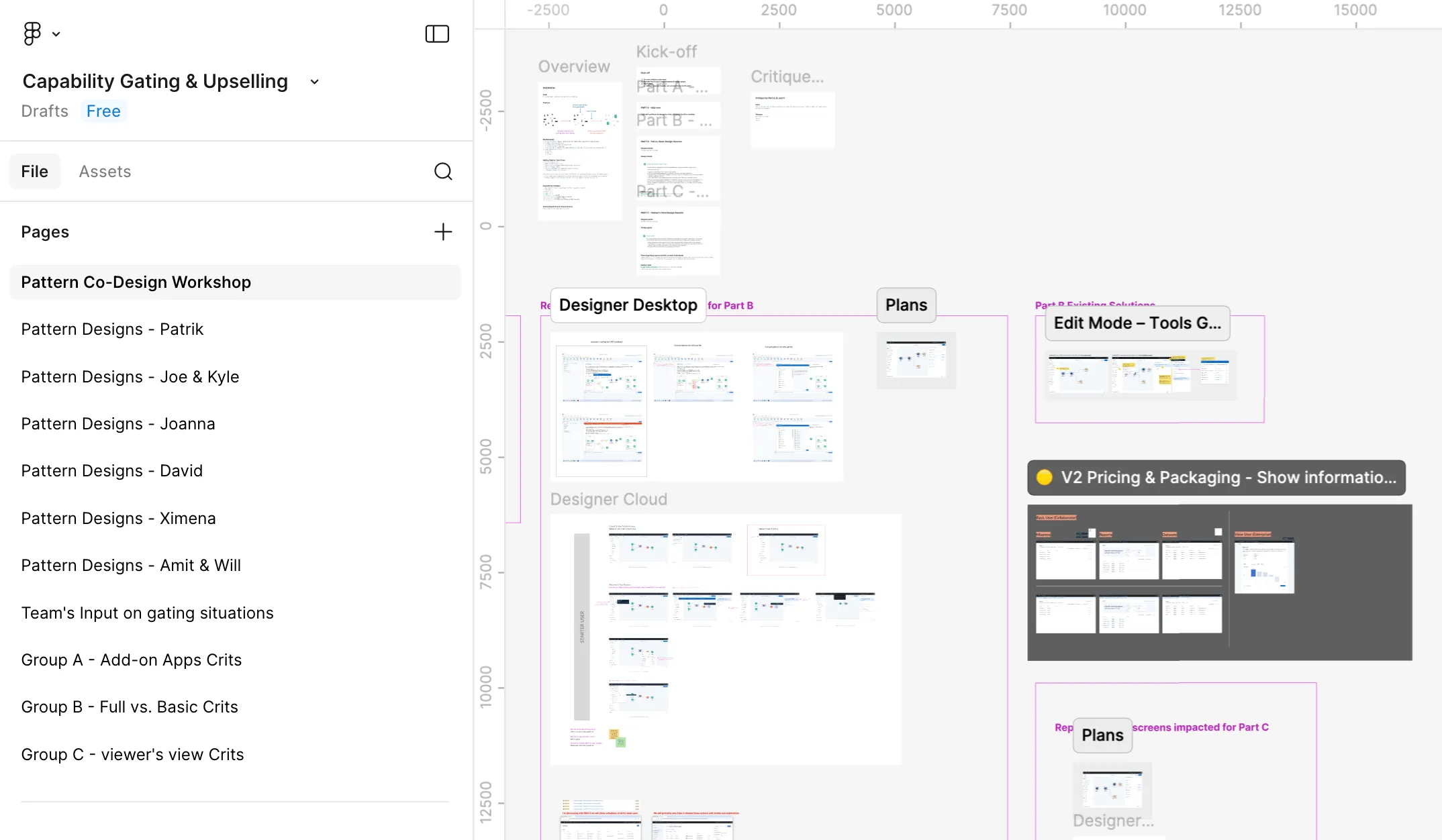
The Pattern Co-Design Workshop page in Figma. The sidebar lists a pattern design page for each designer and group critique pages; the canvas collects existing gating screens from Designer Desktop, Designer Cloud and Plans for comparison.

Outcome & impact

Delivered a comprehensive, role-based gating pattern system that rolled out without a single implementation issue — and has held up through multiple pricing & packaging adjustments since.

The final pattern library covered all gating scenarios across every user role, documented clearly enough that implementation required zero back-and-forth. Its behavior-first design proved resilient too — as pricing and packaging shifted multiple times after the May 2025 launch, the patterns adapted without needing redesign, validating the scalability of the system from the ground up.
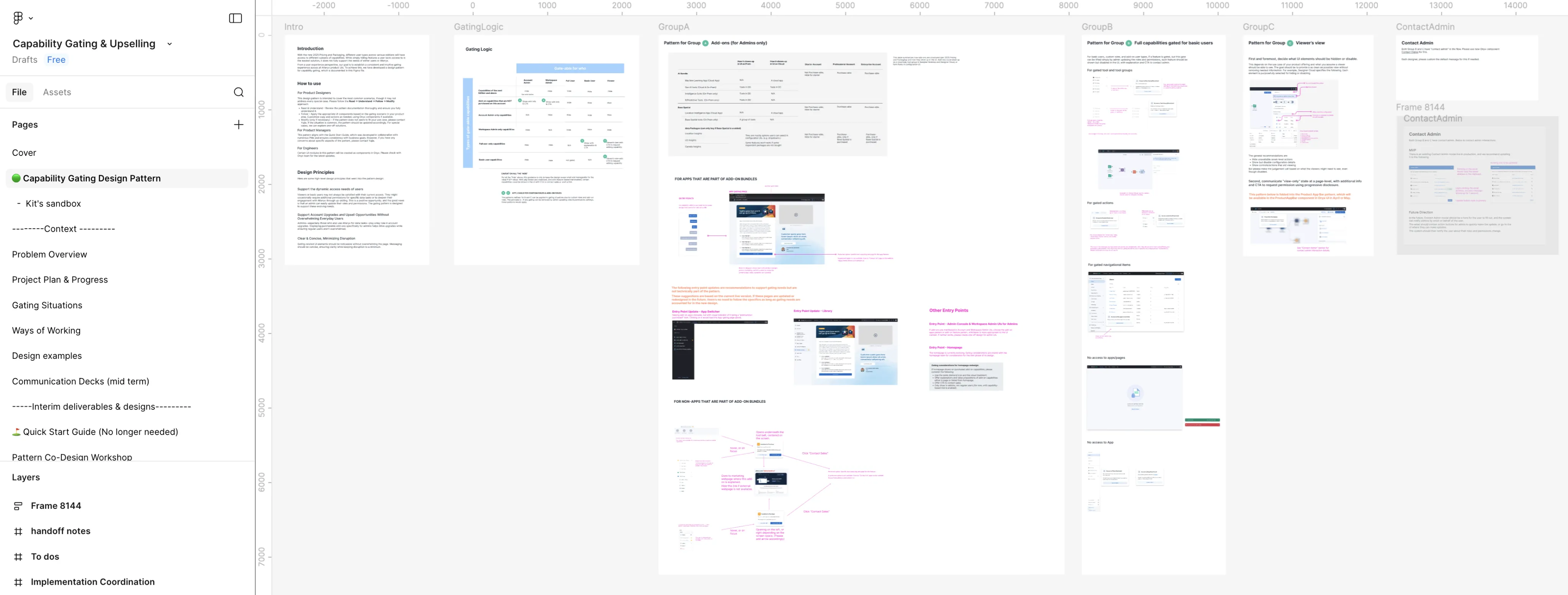
The Capability Gating Design Pattern page in Figma: an introduction, the gating logic table, then pattern sections for each group of gating situations, with annotated screens and a Contact Admin flow.