Google Looker Studio & Alteryx Integration Experience
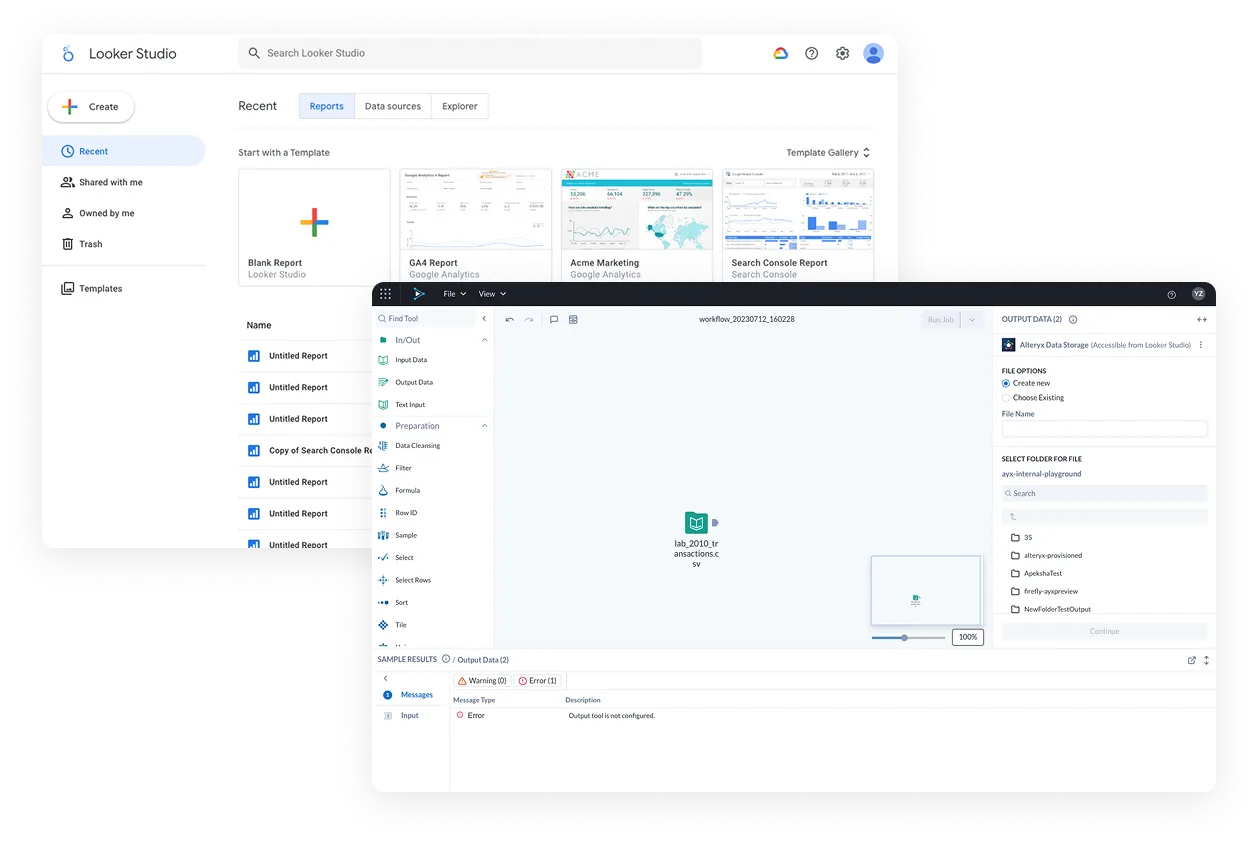
Designed the end-to-end experience of Google Looker Studio users navigating from Looker Studio to Alteryx to ingest and clean data, and then to use the clean data back in Looker Studio for reports.
- My role
- Team Lead, Architect
- Time
- 5 months, 2023
- Worked with
- 2 product managers from two companies, 2 engineering leaders, 1 researcher
Problem
Two complementary products, but no bridge — and no clear path to bring users across.
Looker Studio users needed data preparation capabilities they didn’t have, and Alteryx needed an acquisition pipeline it lacked. The opportunity was clear, but the challenge was bridging two distinct products for users who weren’t expecting to learn enterprise software — they just wanted to clean some data.
Research & insights
We learned that users enter with a simple ask — but the engagement opportunity is much bigger than importing an Excel file.
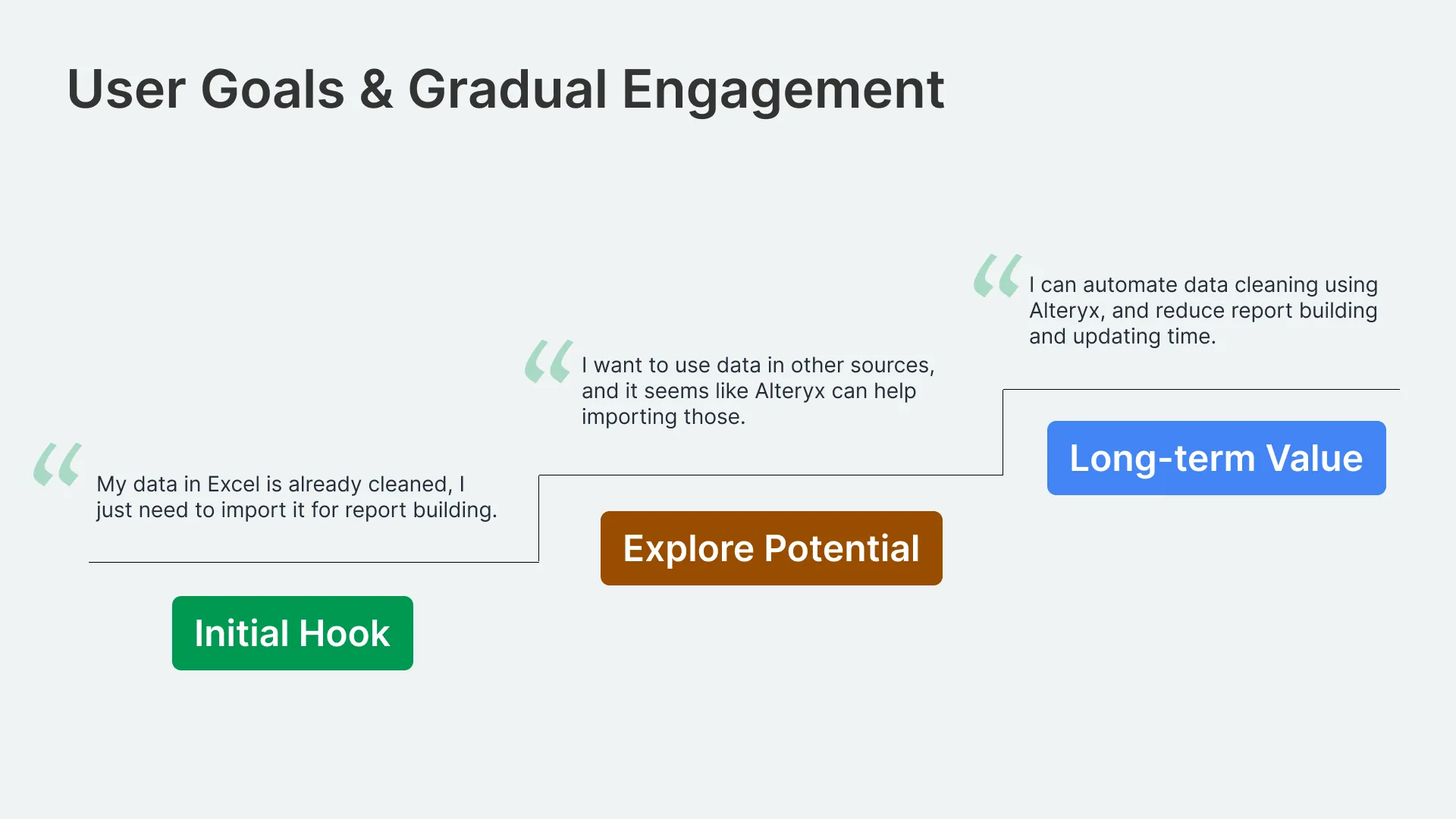
Research identified three distinct levels of user intent: an immediate need to import and use existing data, a curiosity about connecting broader data sources, and a longer-term potential to automate data preparation entirely. The design challenge was to honor the simplicity of that initial hook without letting it become a ceiling — making the first interaction frictionless while keeping Alteryx’s deeper value visible enough to pull users further in over time.
Challenge
How might we meet Looker Studio users where they are and turn a simple data import into organic user acquisition?
End-to-end journey
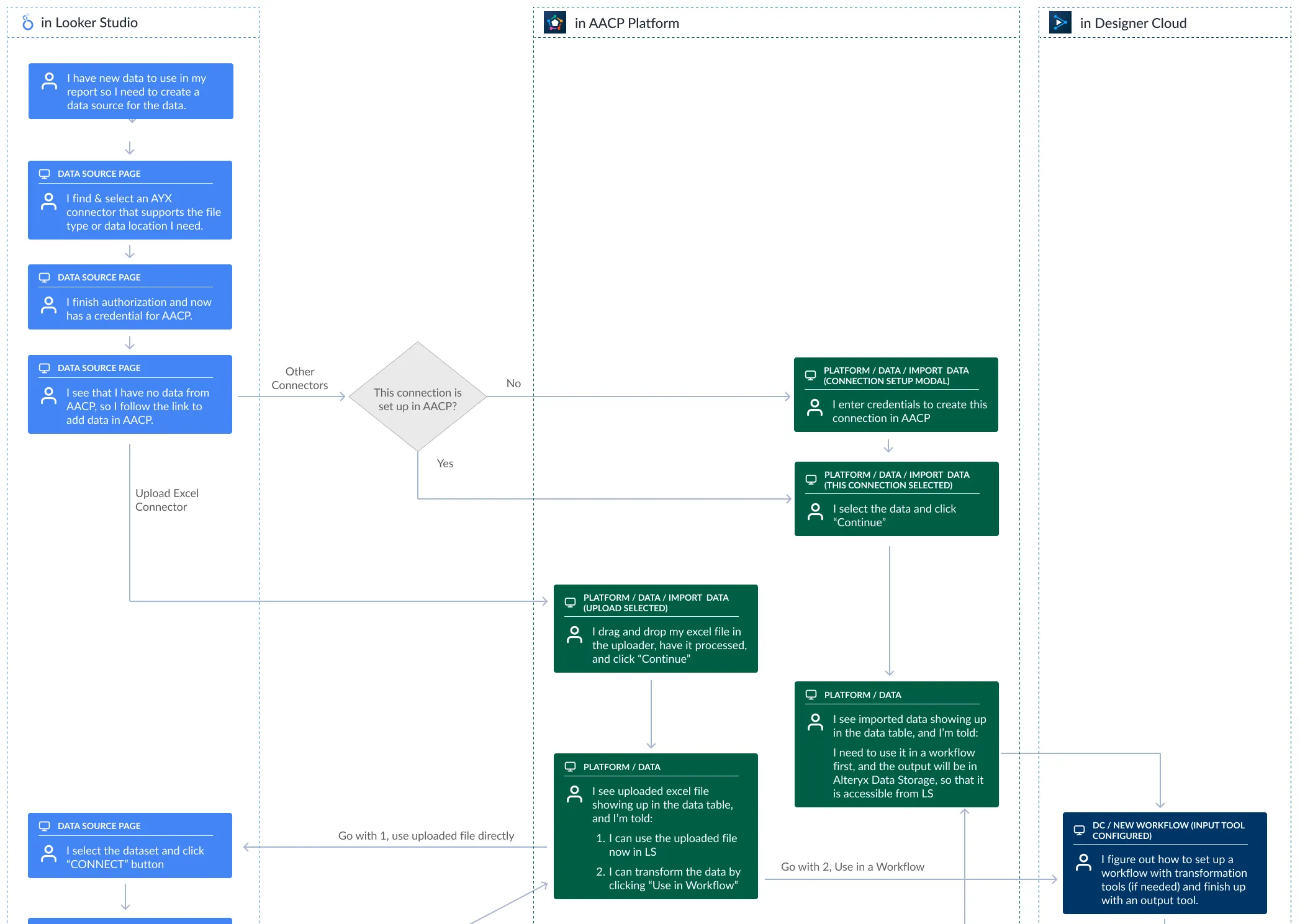
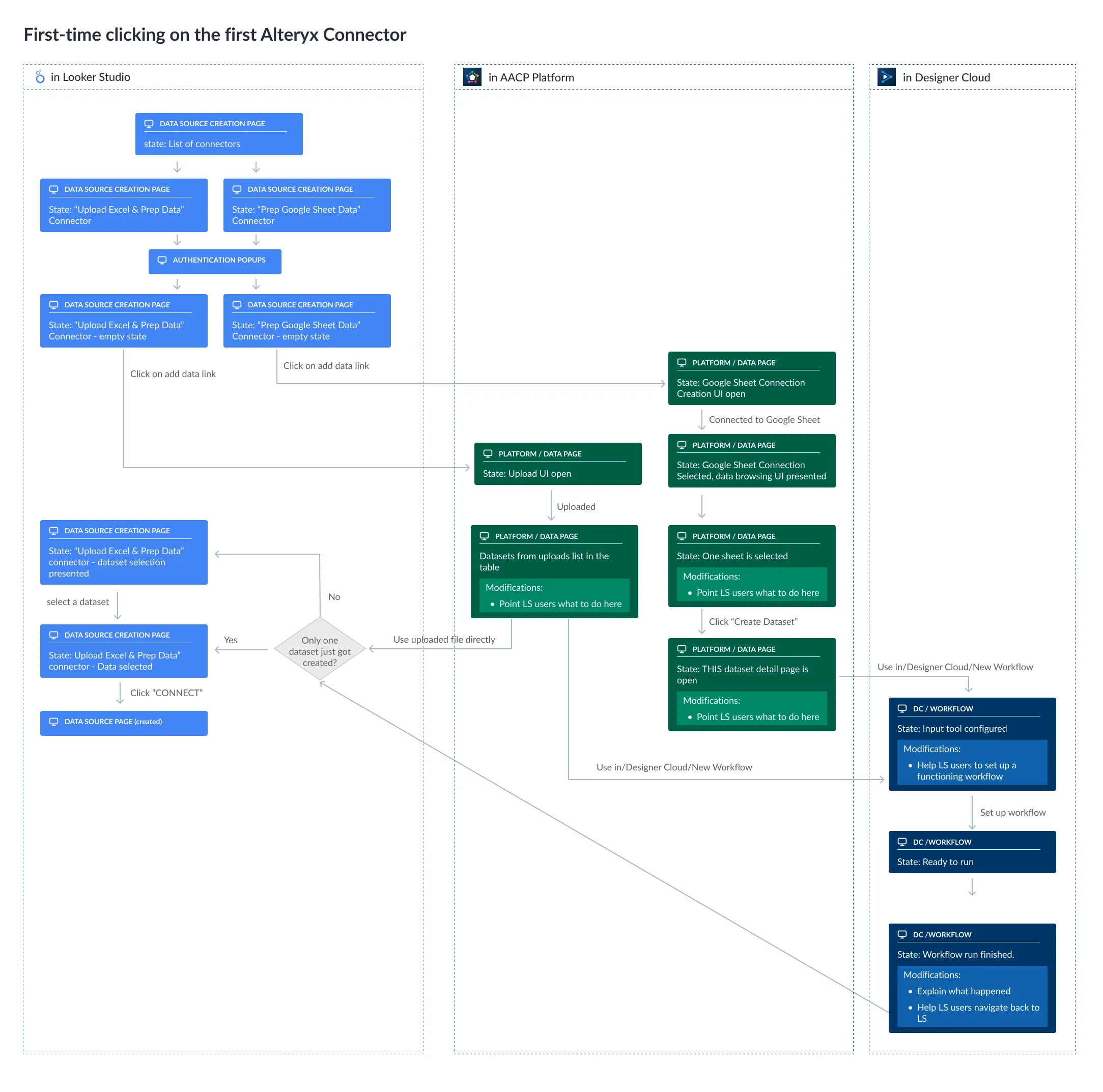
Mapped the full cross-product user journey to expose every decision point — and design every transition intentionally.
With users moving across Looker Studio, the Alteryx Platform, and Designer Cloud in a single flow, there was no room for accidental gaps. Detailed flow diagrams were created for both first-time and returning users, capturing every screen state, branch condition, and required UI modification along the way.
This step ensured that nothing was assumed — every handoff between products was explicitly designed, and every point where a Looker Studio user might feel lost was identified and addressed before a single screen was built.
Key solution #1: Intentional landing experience
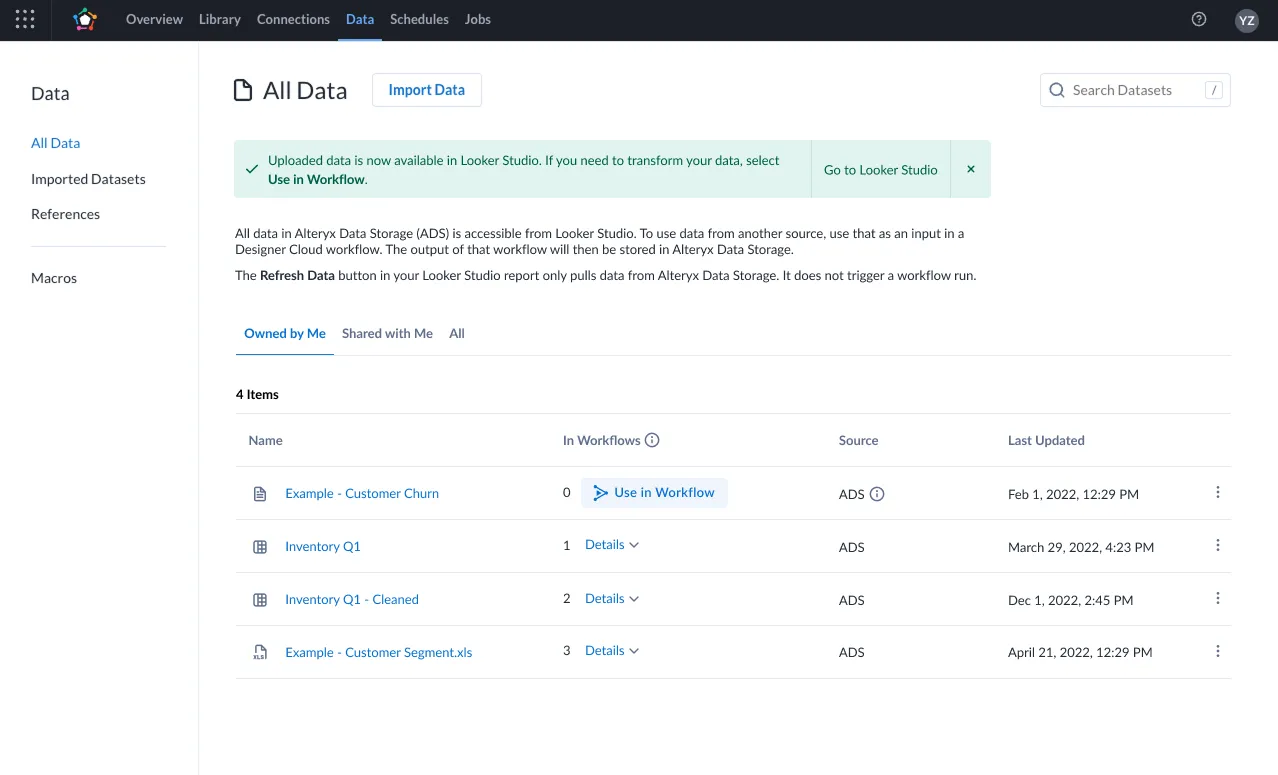
Instead of dropping users into Designer Cloud, we landed them where their data lived.
The default instinct would have been to route users directly into Designer Cloud — the product Alteryx wanted them to adopt. But research showed this would overwhelm users who just wanted to use a file. Instead, users land on the Platform Data Page, where the data context is immediately familiar. Designer Cloud is introduced only when a specific transformation need arises, with the input tool pre-configured for that exact dataset.
Key solution #2: Surgical UI modifications
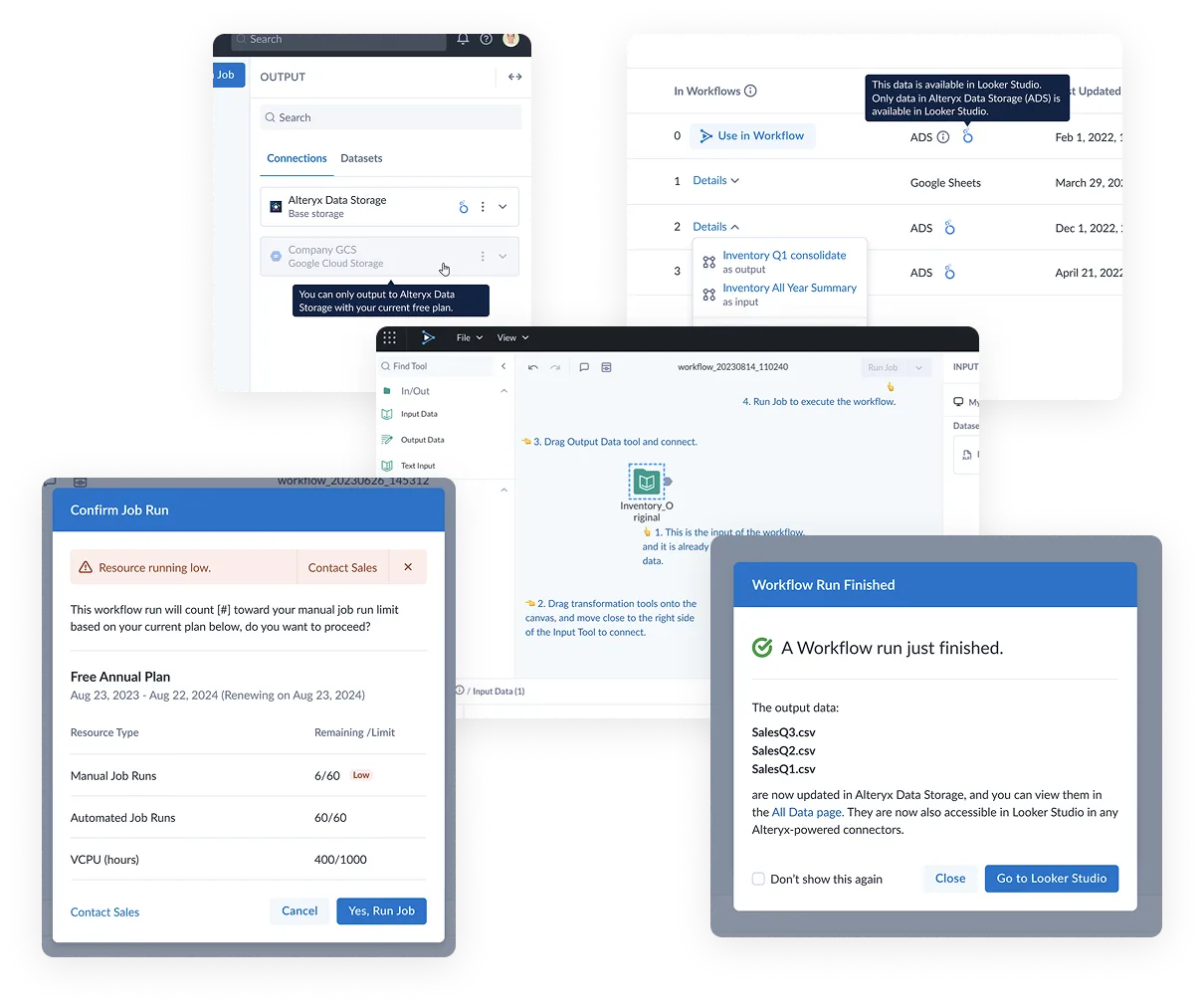
Rather than rebuilding existing UIs, we made targeted modifications to bridge the experience gap.
The Platform Data Page and Designer Cloud UI were adapted — not overhauled — to serve Looker Studio users without disrupting the default Alteryx experience. Key additions included an “In Workflows” column, contextual overview messages, Looker Studio-specific CTAs, an onboarding tour, auto-configured input tools, and a post-job-run message guiding users back to Looker Studio.
Growth experimentation
Drop-off analysis surfaced a friction point, and a growth experiment validated the fix — cutting drop-off by 18%.
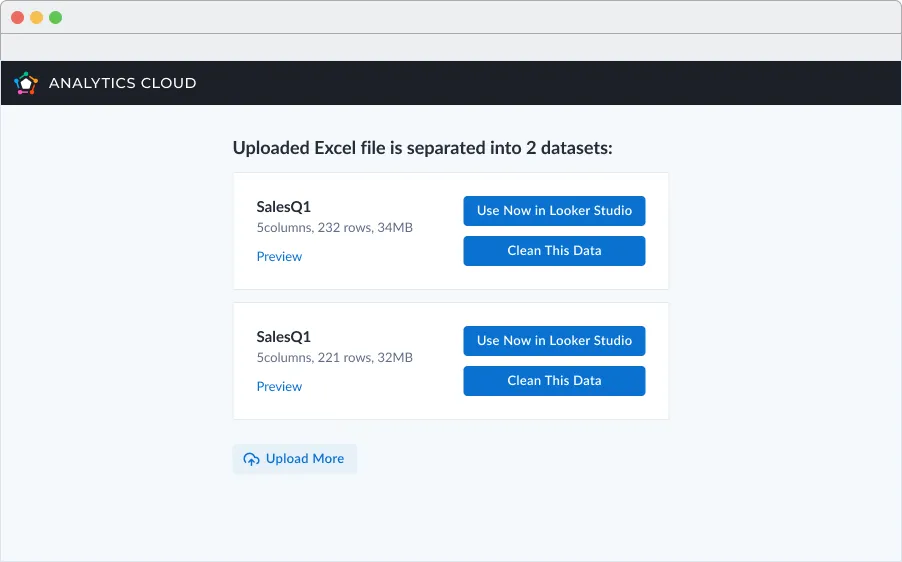
Post-launch data showed significant drop-off between sign-up, data import, and workflow creation. Analysis pointed to a key hypothesis: users weren’t recognizing the workflow creation CTA as their next step. A targeted experiment repurposed the authentication pop-up to provide explicit way-finding — and it reduced the second drop-off by 18% compared to the control group.
Outcome & impact
The integration drove ~350 monthly sign-ups from Looker Studio.
The integration successfully created a product-led acquisition channel, generating approximately 350 monthly sign-ups with healthy downstream data import activity.