Product-led growth for a no-code data prep enterprise tool
Improved trial-to-paid conversion rate from under 0.1% to over 2% through journey & friction analysis, A/B testing experiments, and streamlining user experience.
Trifacta, a no-code cloud data cleansing & preparation tool, established a Growth Team, with the mission of acquiring, engaging, and retaining small to medium customers through trials and product-led growth. I was the Lead Designer on the Growth Team, responsible for:
- Define growth strategy with Product and Engineering Leaders
- Plan design projects
- Execute growth projects hands-on while overseeing a junior designer's work in a fast-paced environment.
- My role
- Lead Designer
- Time
- 2022-2023
- Worked with
- 1 designer, 2 PMs, 1 Tech Lead, 1 Data Analyst
Journey & frictions workshop
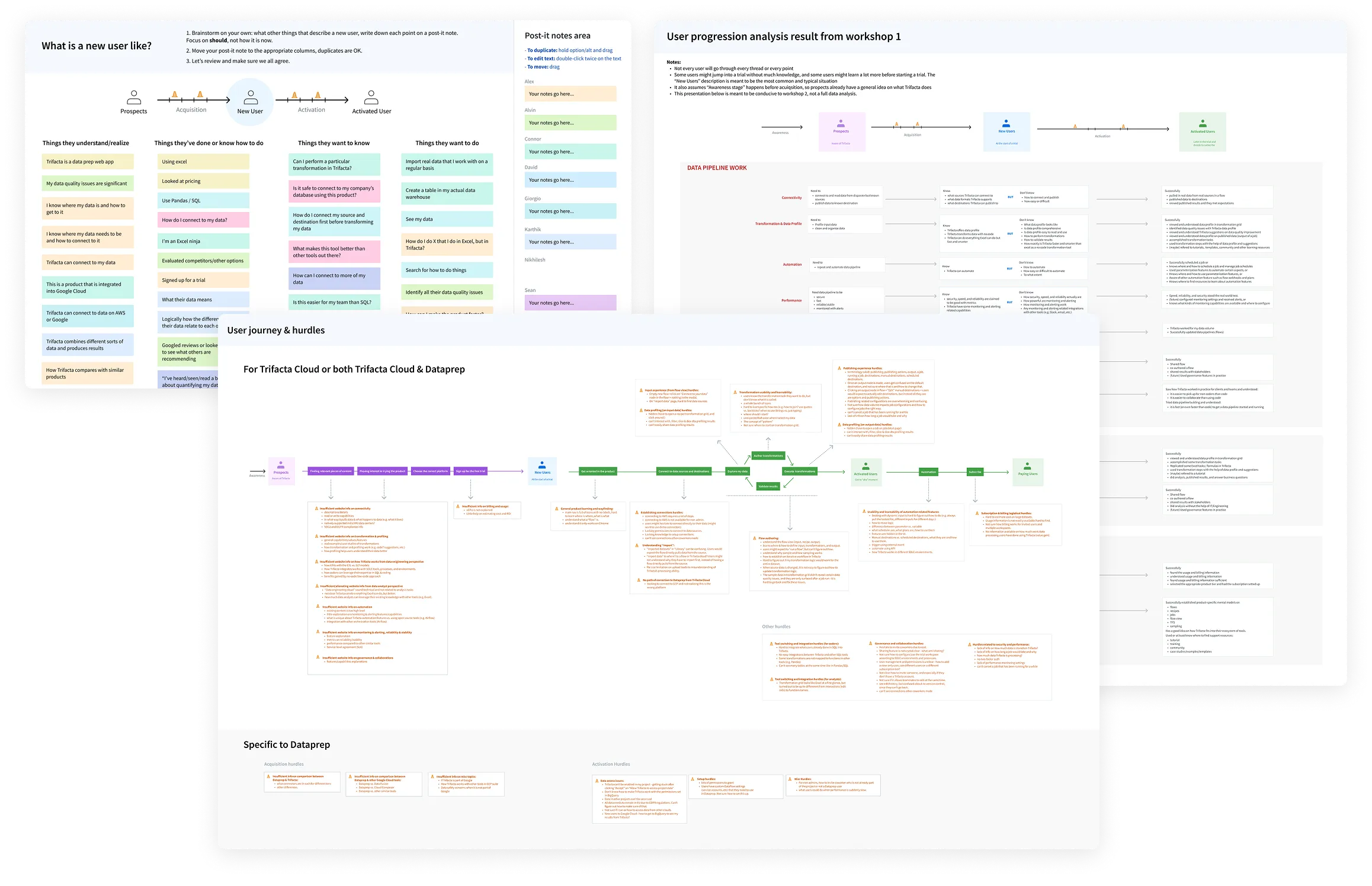
Surface and align on the end-to-end user journey
Growth practice is based on the cycle of hypothesis, A/B experiment testing, and learning. However, as a designer, I want to ground hypotheses in user insights, and that starts from the end-to-end user journey and our shared understanding of the frictions distributed in cross-functional teams.
First focus: Top of the funnel
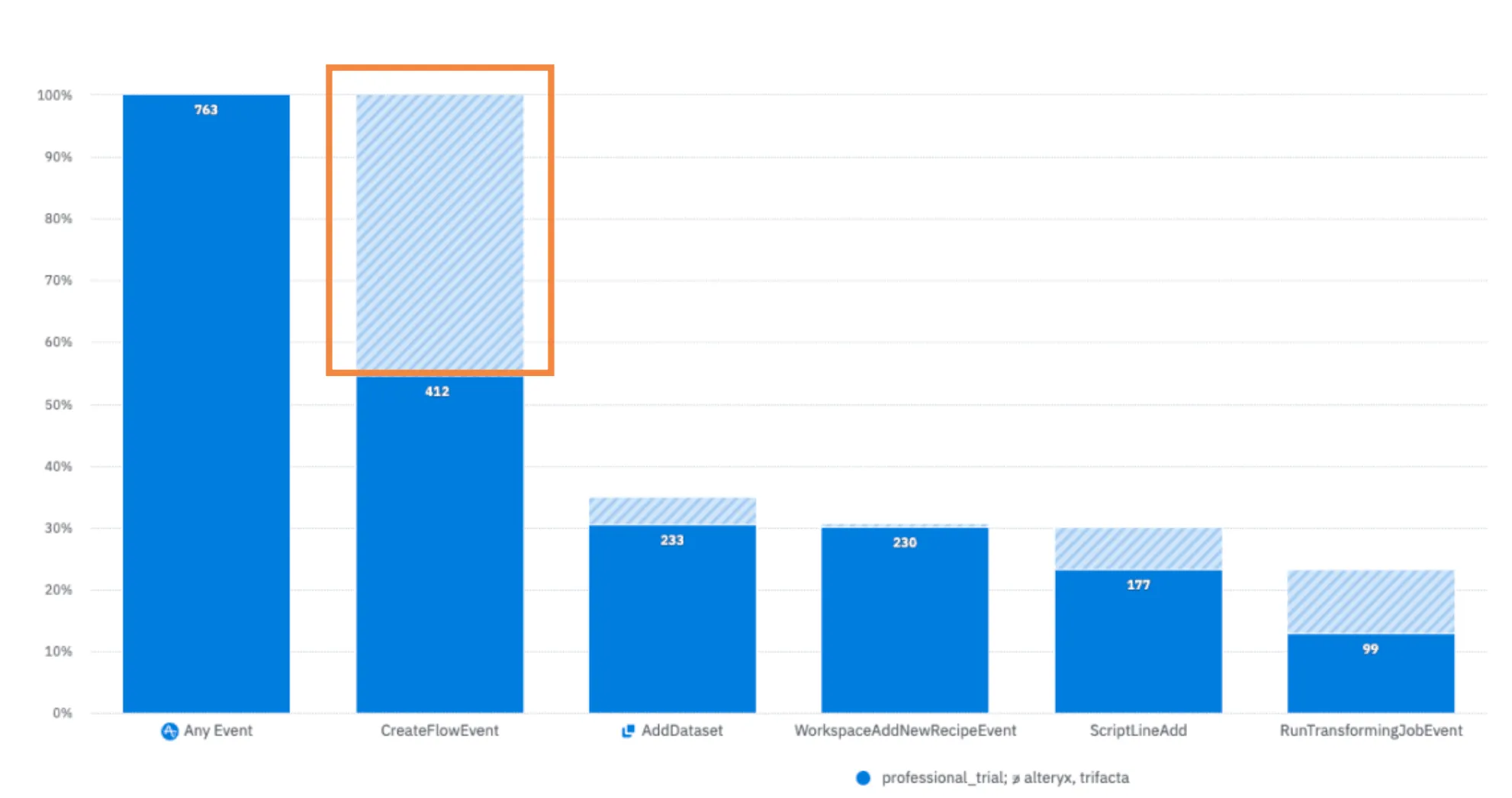
We are losing half the people at the very beginning of the journey
Equipped with a holistic understanding, we also dove into the data to see which part of the journey to focus on first. We learned that we have a near 50% drop-off for Flow creation. This is very concerning, because Flow is the only object/vehicle in Trifacta for users to transform data. If they are not even creating Flows, they are definitely not experiencing the aha moment, let alone subscribing.
Hypothesis
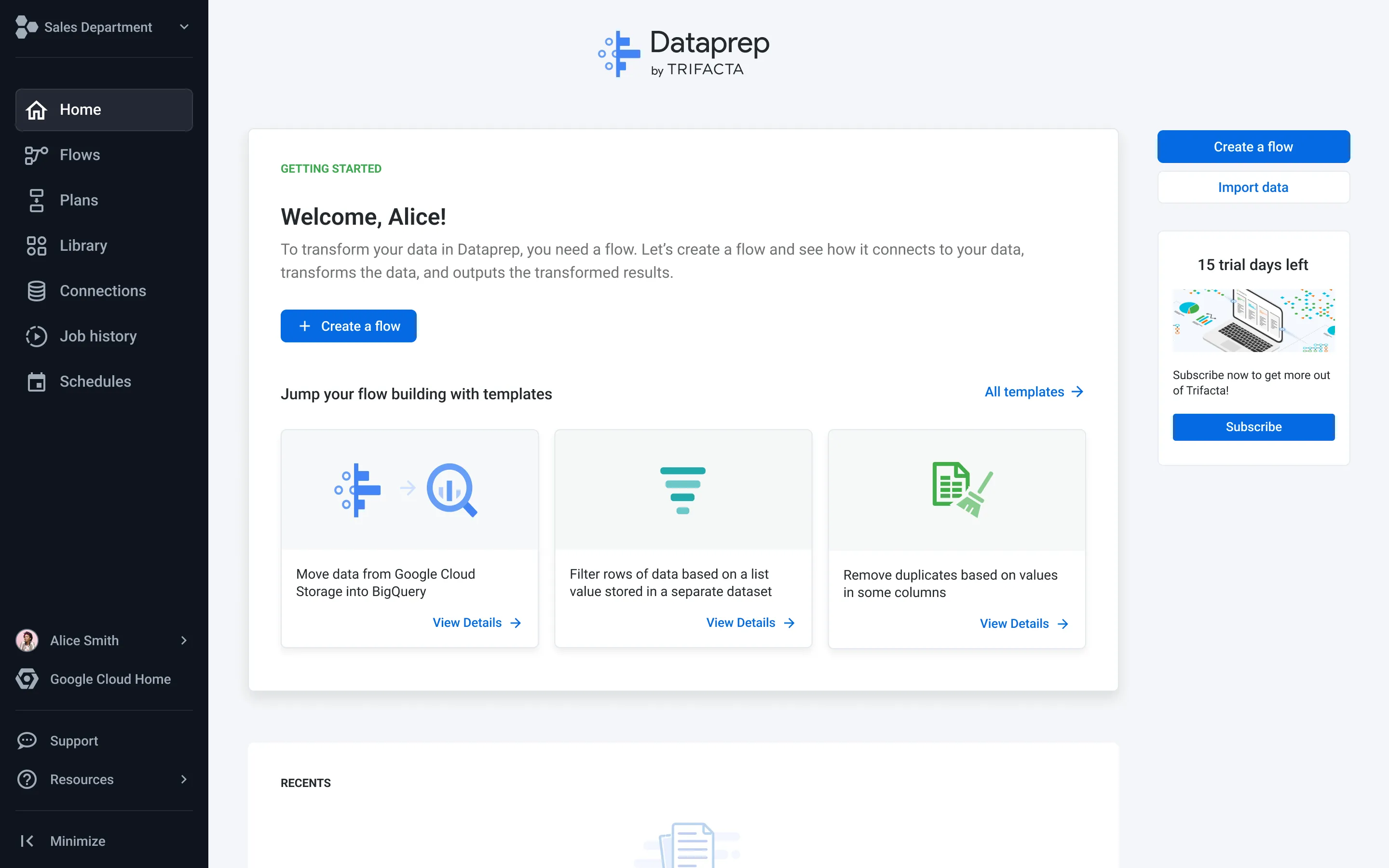
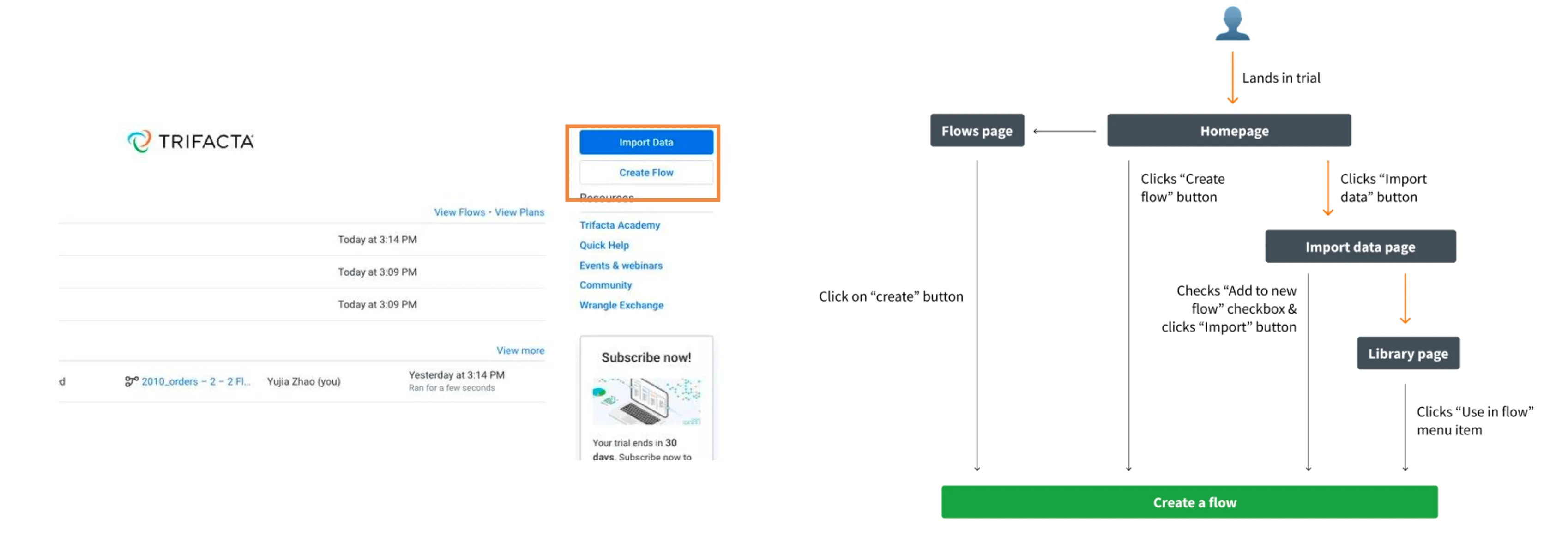
Users don’t know what a Flow is, while the UI ushers them down the most error-prone path to create one.
If we can: 1) establish the mental connection between Flow and user’s data task, 2) usher users to create a Flow directly after such understanding, we should be able to increase the Flow creation rate.
Test 1: Clear starting point
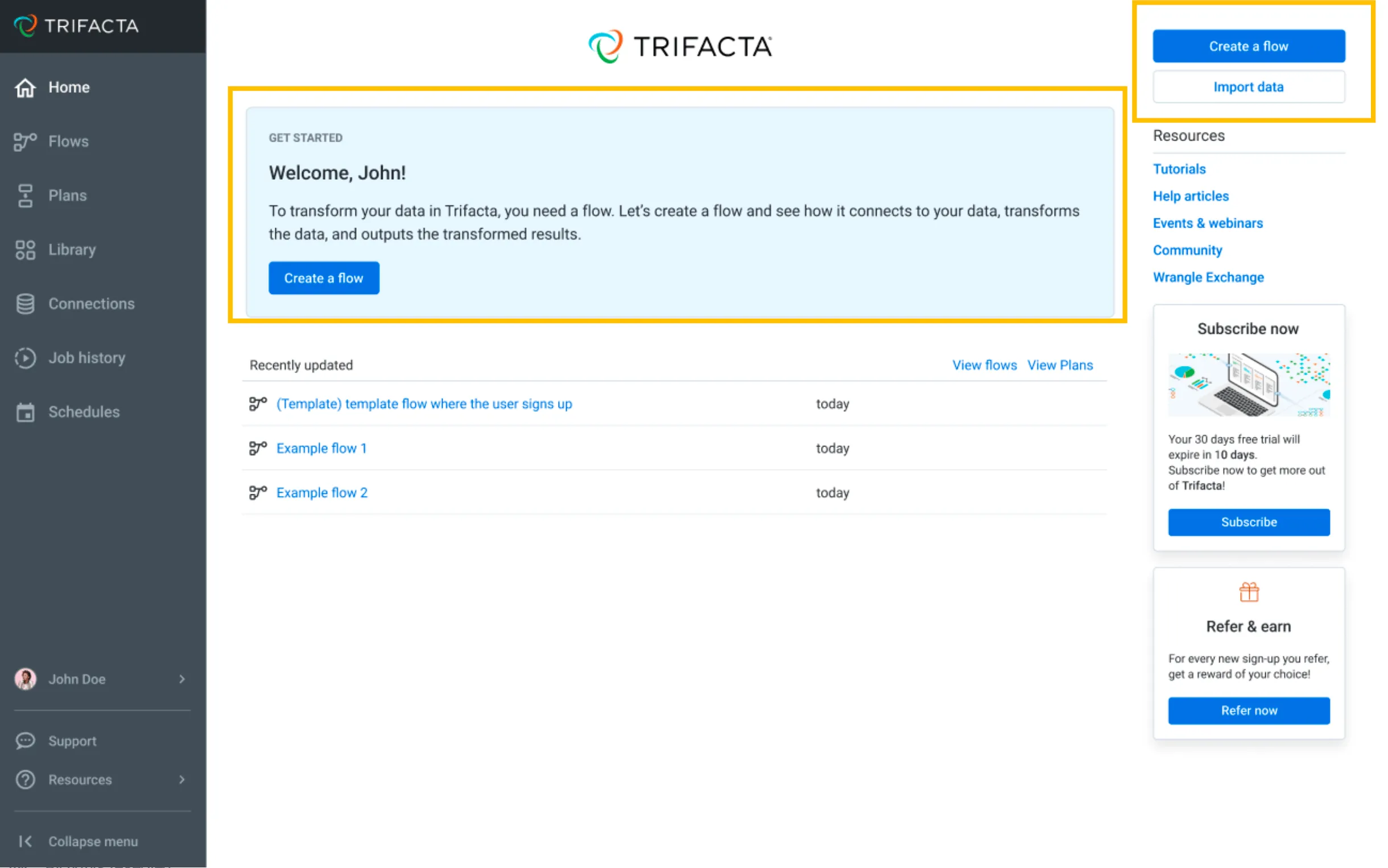
Introduce a Get Started section & flip the order of CTAs.
The Get Started section helps users understand that a Flow is what they need to transform data, and guides them to create one with very simple language and a direct CTA. The primary CTAs follow the same action priorities.
Test result & learning
- +21%Flow Creation Rate (experiment success metric)
- +17%First Job Run Rate (activation metric)
- +11%Second Job Run Rate (conversion indicator)
We saw positive impact not only on the direct experiment success metric, but also on downstream key levers of growth. We learned that introducing what a Flow is helps users’ onboarding, leading them to the product’s key value surface — a Flow.
Second focus: Making it dead simple to get data in
A significant drop-off at “add a dataset” step indicates users are having trouble getting data in.
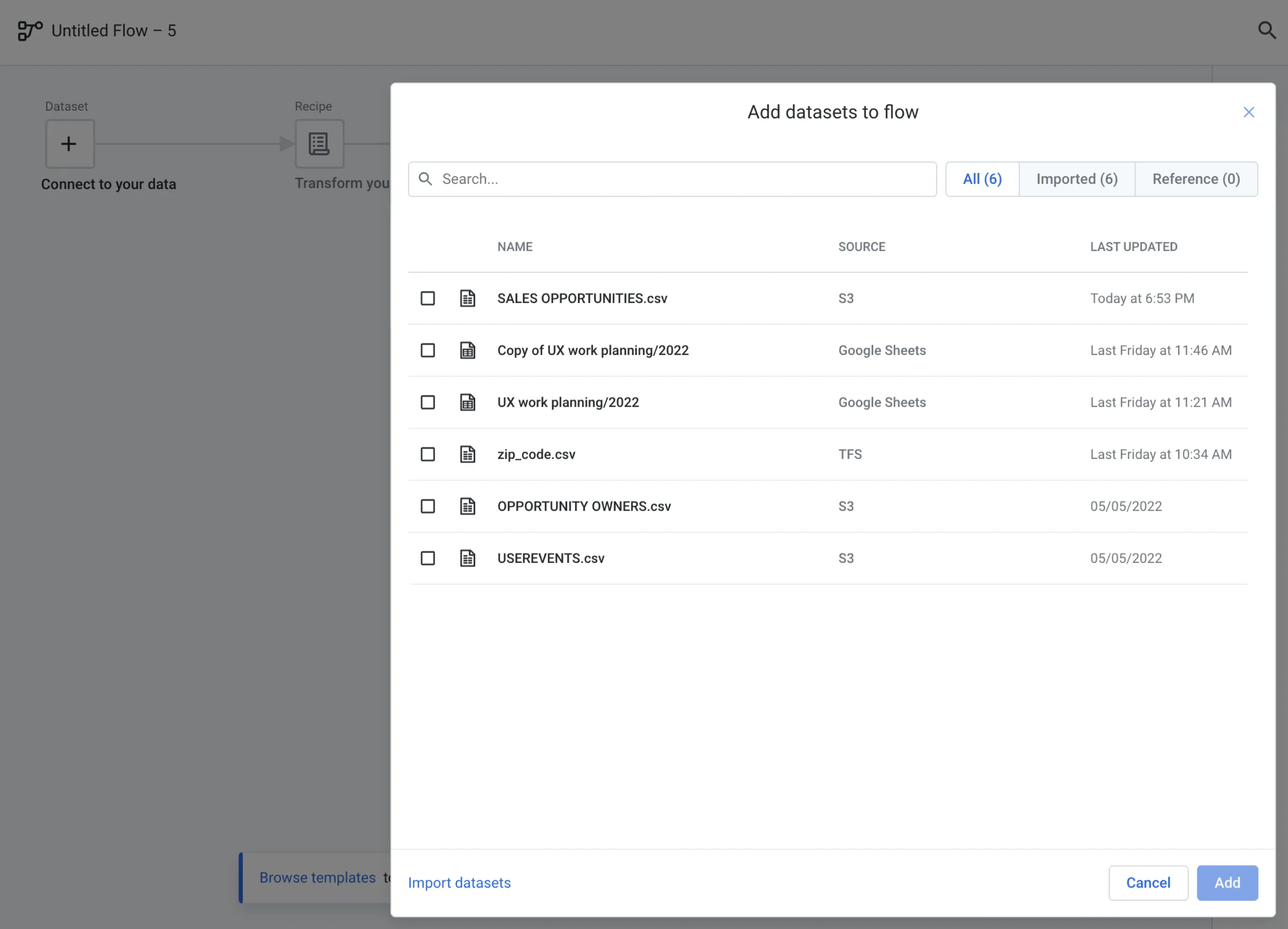
The whole point users are in Trifacta is to transform their data. If we can’t get users to connect to data, an empty Flow, even though understood and created, is useless. As shown in the image, the “Add datasets to flow” modal doesn’t have a clear way to add new data.
Analysis & hypothesis
For new users, this modal is empty and has no clear CTA to import data.
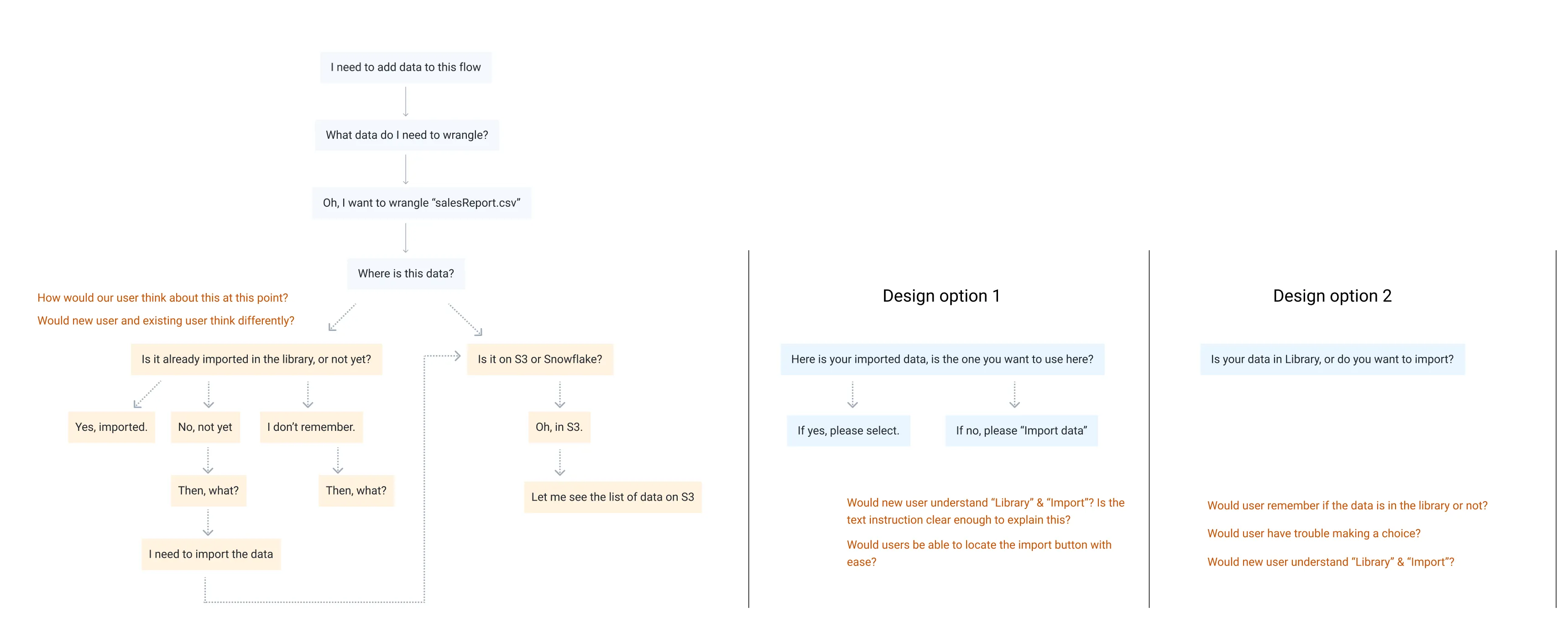
If we can: 1) make this a comprehensive UI for all data importing options, 2) make it very simple, users should be able to add data to their Flow.
Test 2: Streamline adding data
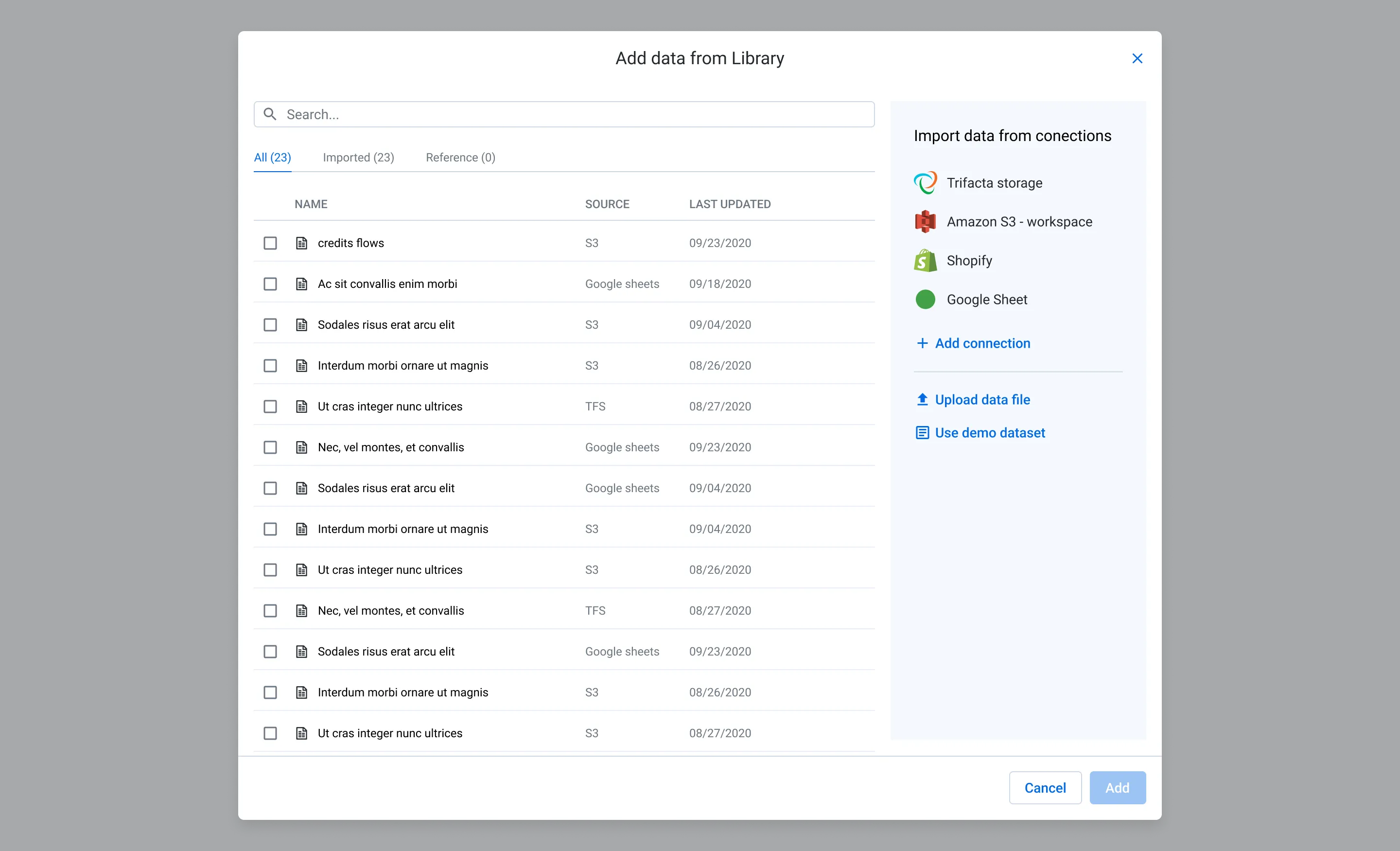
A right panel outlining all options for where and how to add data
This panel works for new and existing users when they want to add data to the current Flow. It outlines all options right there instead of directing users to the “Import Data” page.
Test result & learning
- +6%Data Added Rate
We learned that sometimes a usability optimization for a page without changing any feature or functionality can go a long way.
Other experiments
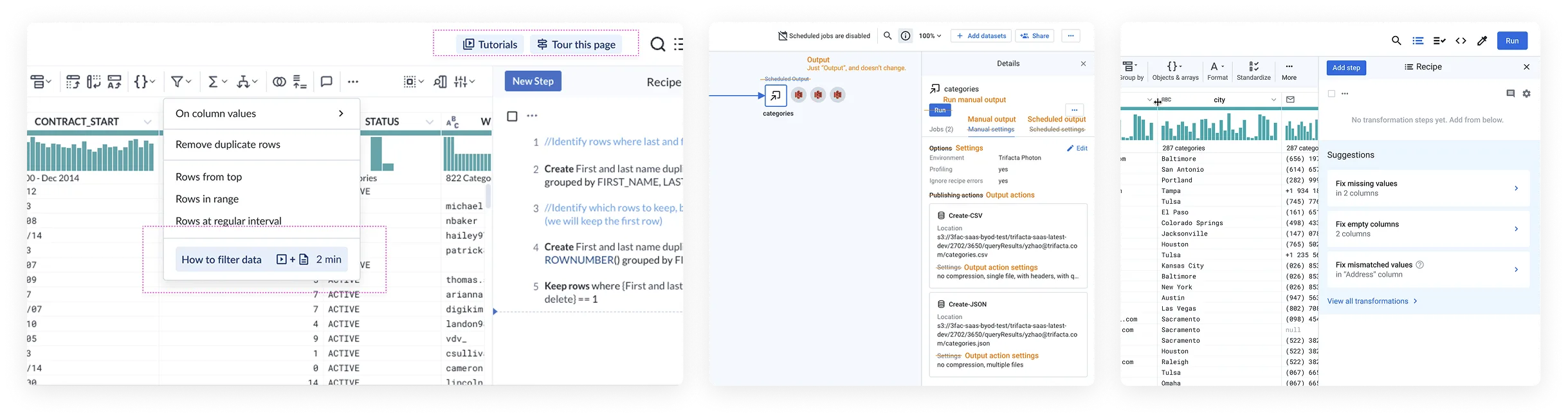
We conducted numerous experiments and made many improvements mostly without changing functionality.
We continued to analyze, hypothesize, and experiment with new ideas along the user journey, addressing many friction points. Some noteworthy ones are: improving in-context help, cleaning up terminology, adding dataset-level recommendations, etc.
Outcome & impact
- <0.1%→2%+Trial-to-paid Conversion Rate
- +17%Trial Signup Rate
- 132k→1.6MMSelf-service ARR
- 2→20New logos per month through Trial
Over 16 months, we achieved significant business outcomes by optimizing the user experience through thoughtful analysis of user needs, mental model, journeys, and frictions, and rolling out changes with the utmost simplicity.